



Hi Adopter,
You create a Grok Bot and ask it to help with your business.
It gives you something vague enough to fit a bakery, a law firm, or an industrial pump company. It needs the onboarding you’d give a new hire.
Jump to a section
The setup in my ChatGPT article was simple: introduce yourself, define the job, explain how you like to work, and brief it on the business. Grok Bot needs the same treatment. The buttons are different. The principle hasn’t changed.
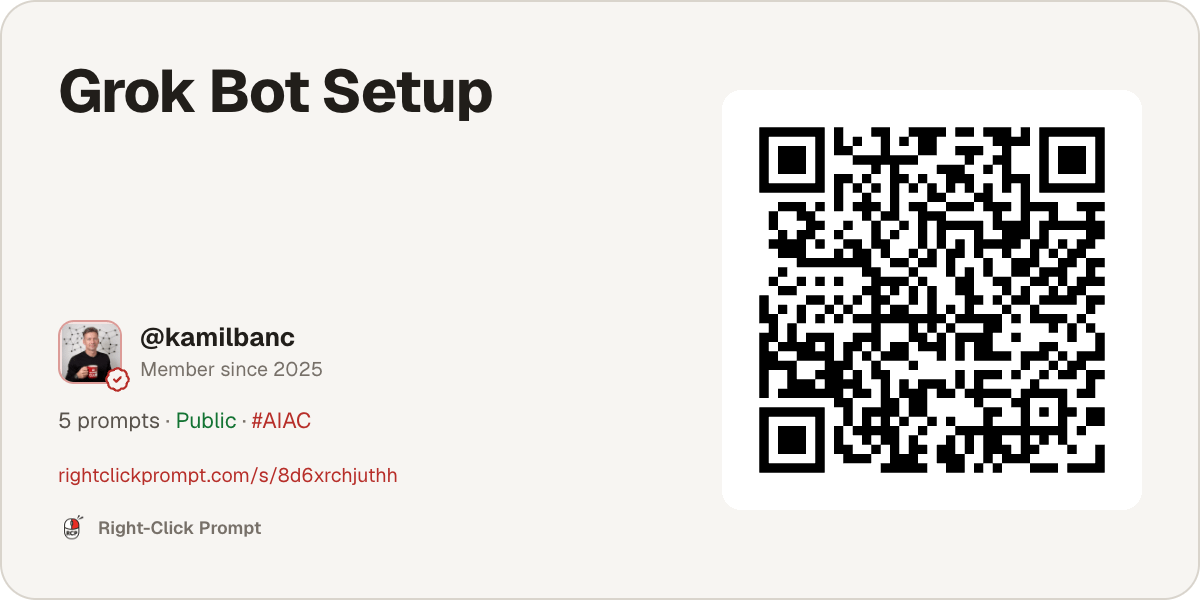
The shortcut is five prompts, used in order. Copy them below or open the setup pack in Right Click Prompt. You can also download the PDF pack and give the file to your Bot.

Then say: “Guide me through this pack in order. Start with Prompt 1 and wait for my approval before each next step.”
When you’re done, the Bot should know one job, the inputs it needs, what good work looks like, and where it must stop for you.
0. Get the Bot ready
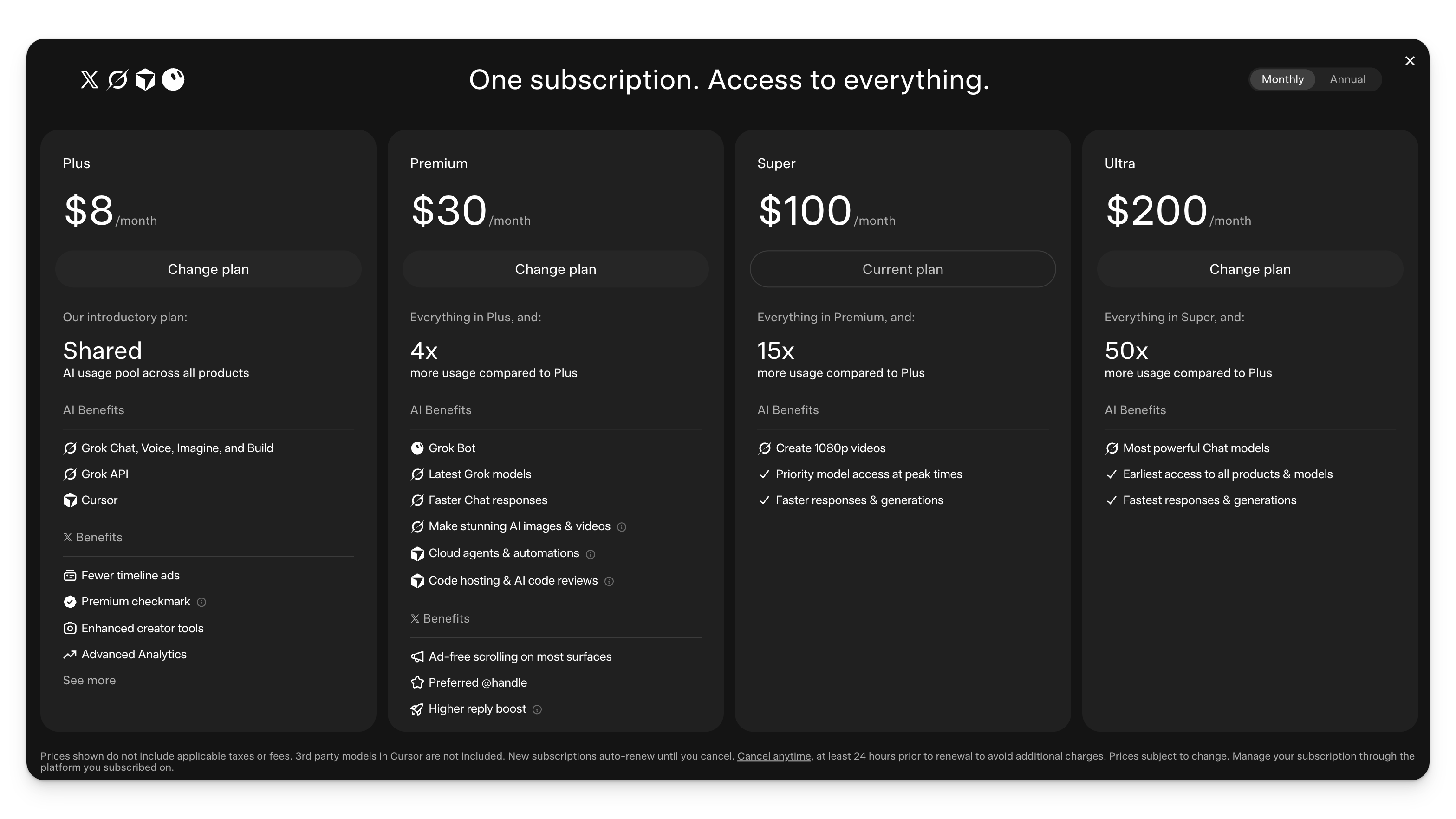
Download the official desktop app from x.ai/bot, open it, and sign in with your Cursor account. You’ll need a paid plan, luckily x.ai just rolled all a lot of their tools into combined plans that include Grok, Grok Bot, Cursor and a 𝕏 Premium.
Once you got signed up, use New or + to create and name a Bot. The official setup guide walks through those steps.
Keep the first Bot narrow. “Business assistant” is fog. Pick one repeated task you already know how to check.
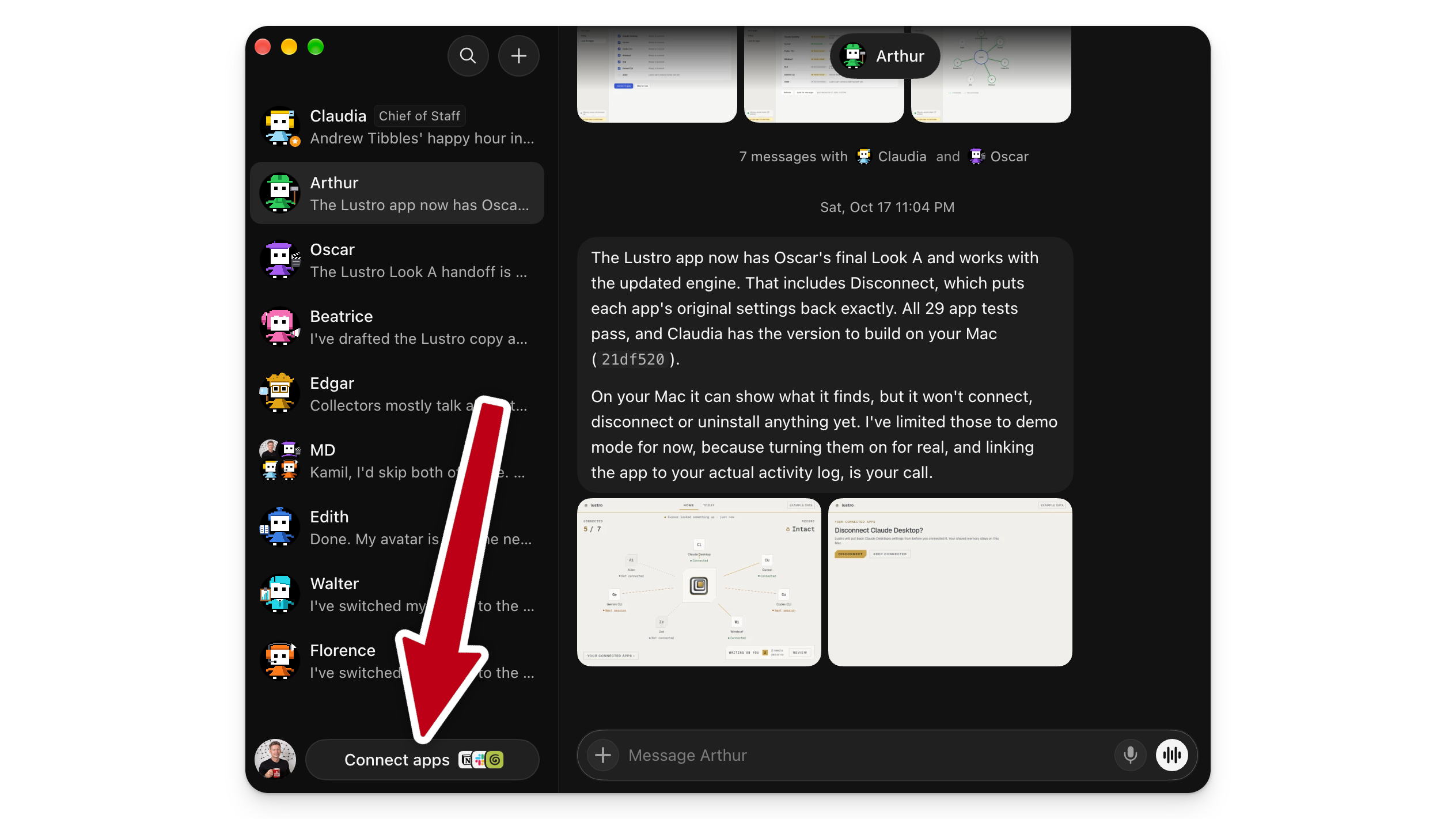
Start with zero connected apps. Each Bot has its own screen and chat, but they share the computer, files, and browser logins. When the job needs an app, use Connect apps and Add, then sign in.
Go to Settings → General → Auto-review and prepare an Ask first rule for “Sending emails or messages, or changing records in any connected app.” The approval guide shows how.
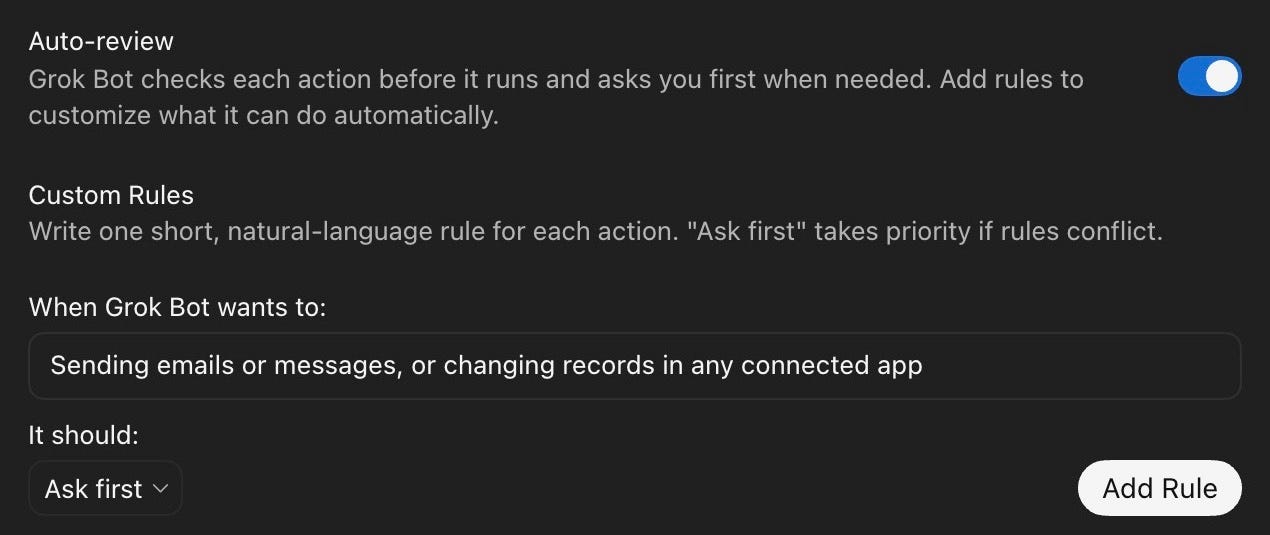
An unsaved example, before clicking Add Rule. Tap the image to enlarge it.
1. Give it one job
Paste this into your new Bot:
Help me choose the first job you’ll do for me. Ask one question at a time. Learn my role, the repeated tasks I handle, which single task takes the most attention, the source material it starts with, the exact output I need, how I judge a good result, and what you must never do without approval. Push me to choose one task small enough to test today. Treat missing facts as unknown. Then write a short job brief with these headings: Job, Inputs, Output, Quality check, Boundaries, Review point. Show it for approval. Then explain where you can keep the approved brief and how I can check it. Ask before saving; if you cannot save it, give me a copyable version. Do not connect apps or change permissions.
Read the brief before saving it. It should make the job, output, quality check, and stopping point obvious.
For mine, I named the Bot Claudia and gave it the role Chief of Staff. Short, clear, no corporate biography required.
Once your brief looks right, ask the Bot where the approved instructions will be kept and how you can check or edit them. Approve the save only when that answer is clear.
2. Choose the advisor’s personality
Now set how it should work with you.
Use this:
Use the job brief we approved. Ask one question at a time about how direct you should be, when you should challenge me, how short your answers should be, how I want the output formatted, how you should handle uncertain or conflicting information, and which words or habits to avoid. Then write five to seven working preferences relevant to this job. Show them for review. Do not save or change anything until I approve the wording.
You want useful behavior, not a personality novel. Five or six clear rules beat a page of adjectives.
3. Brief it on the business
The Bot doesn’t need your entire company history. It needs the facts that affect this job.
Paste this:
Build only the background needed for the approved job. Ask one question at a time about my role, the organization or customer this work serves, the current goal, the process and tools involved, the sources we trust, the approval chain, and any legal, privacy, or business constraints. Ignore unrelated company history. Separate confirmed facts, assumptions, and unknowns. When I say “done,” create one job-specific brief under 250 words. Ask me to confirm or correct it. Do not save it until I approve it.
Grok Bot has native memory for working facts, but current facts still need a fresh source. Prices change. Client status changes. Calendars definitely change. The Bots guide explains the difference between lasting profile instructions and the task you give it in a message.

Setup done. What now?
Now use the job you chose with real inputs. Do this before collecting more templates or connecting more apps.
Use the approved job brief, working preferences, and job-specific background. Before starting, list the inputs you need for today’s real example. Ask one question at a time for anything missing. Then do the job using only the material I provide. Follow the agreed output format and quality check. Cite the source for important factual claims when possible, and mark unsupported or missing information as unknown. Do not contact anyone, change records, connect apps, or invent details. Stop with a draft for my review.
Compare the result with the quality check you agreed in prompt one. Correct it until you would use it yourself. If your chosen job is preparing for client calls, your output might be a one-page brief. If your job is weekly reporting, it might be a fixed summary with decisions, risks, and next actions. The structure adapts to your work.
That gives you a reusable task formula:
Job: Say exactly what you need done.
Sources: Name what the Bot should read.
Output: Describe the finished result.
Rules: Say what it must not assume or do.
Review: Tell it where to stop for you.
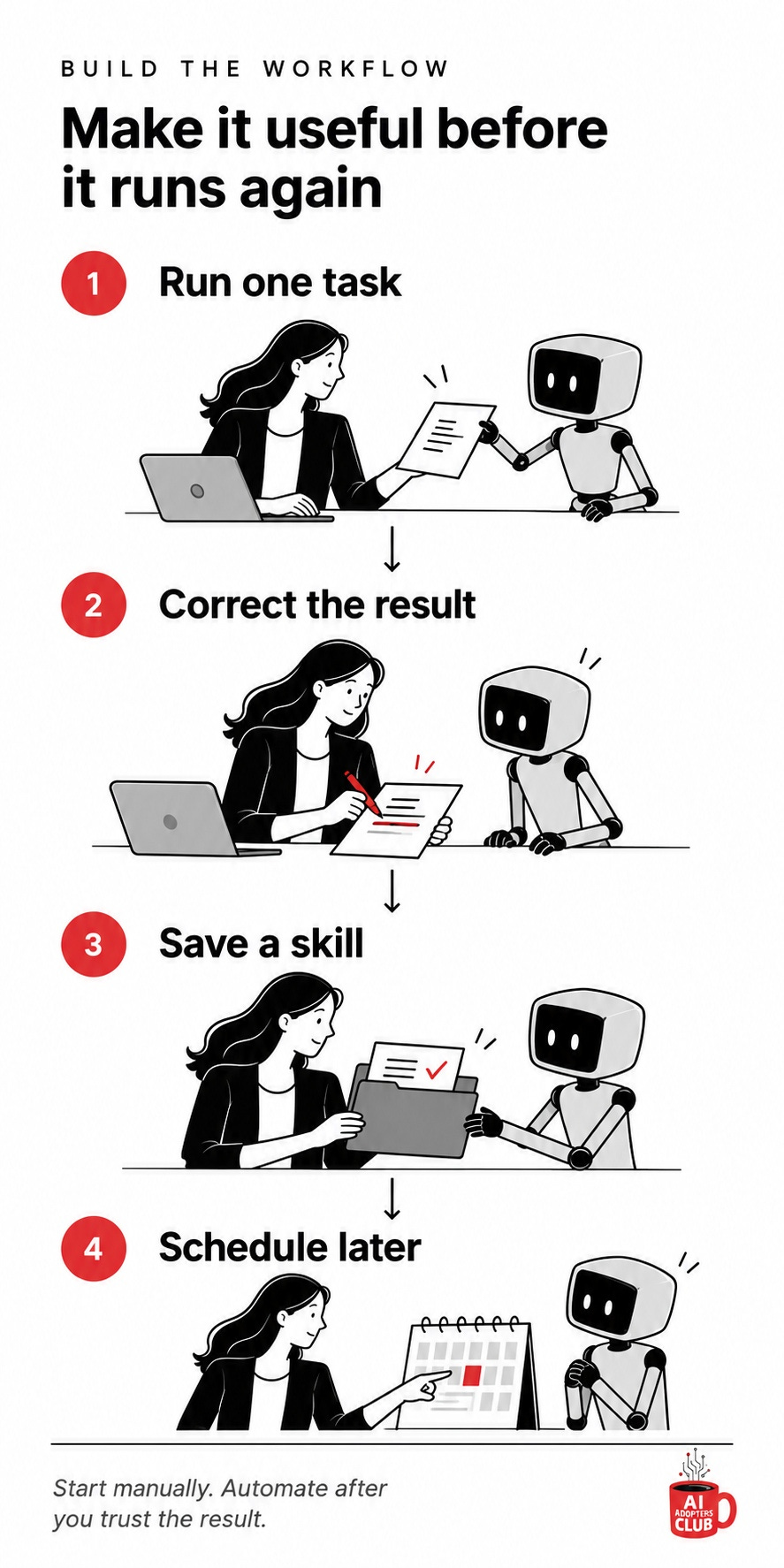
Once the Bot has done the job correctly, ask it to save the method:
We completed and corrected one real example of the approved job. Compare the corrected result with the job brief and quality check. Ask me about any differences. When I confirm the example is right, draft a reusable skill that preserves the required inputs, steps, output format, quality checks, boundaries, and review stop. Show me the instructions before saving. After I approve them, save the skill, test it with the same real inputs, and list any meaningful differences from the approved example. Do not create a routine or change permissions.
The official skills and routines guide recommends the same order: do the task, turn the corrected method into a skill, then schedule it only when the method is reliable. A routine needs a schedule and timezone. It should also have an owner, clear inputs and outputs, and a careful test because a test run performs real actions.
If you want a starting profile, Cobus Greyling’s Grok Bot templates include third-party profiles you can inspect and adapt for your Bot. If you need a source-checking checklist, Ofer Shapira’s skills collection includes a claim-check skill. Read any third-party instructions before giving them to your Bot. They are examples, not magic install buttons.
Monday morning actions
Install Grok Bot, create one Bot, and start with no connected apps.
Run prompts one through three to define the job, working preferences, and job-specific background.
Run prompt four with real inputs from your own work.
Check the result, correct it, and approve one example.
Run prompt five to save and test the corrected method as a skill.
One Bot. One repeated job. One result you know how to check. That’s the shortcut through the hype.
For practical AI workflows you can put to work, subscribe to AI Adopters Club.
Adapt and Create, Kamil
The most valuable thing in this pack is the job brief at the end of Prompt 1. The interview is just how you get there.
Onboarding done in chat lasts only as long as the Bot keeps it. Once the brief is a plain document with fixed headings (Job, Inputs, Output, Quality check, Boundaries, Review point), you can version it, hand the same file to a different tool, and see what changed when behavior drifts (and models change).
I'd treat the five prompts as a way to produce files and keep those files outside the Bot's memory.