


Hi Adopter,
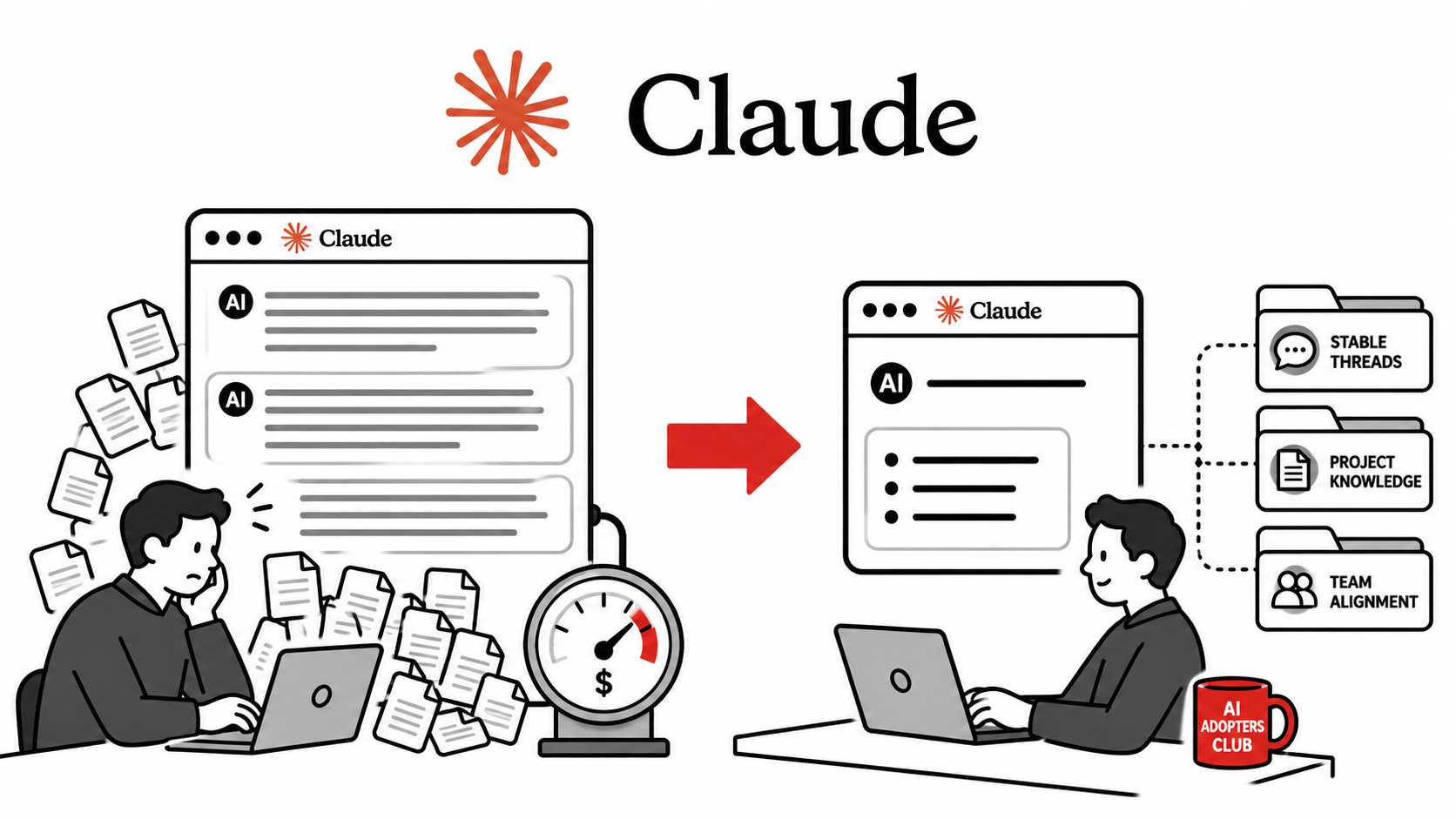
Your Claude subscription is subsidized. So is mine. The economics do not work yet, which is why Anthropic announced a SpaceX compute deal and doubled five-hour limits across Pro and Max on Wednesday. That sounds like good news until you read it as a confession: they need cheaper power, and they are throwing capital at the gap between what you pay and what it costs to serve you.
Gaps like that close. Always. Cursor restructured pricing twice in 2025 and power users felt the second move as a doubling. Replit’s effectively unlimited tier tightened. The free million AWS Lambda invocations became a memory. Subsidized growth phases end with someone learning to budget the resource that used to feel infinite.
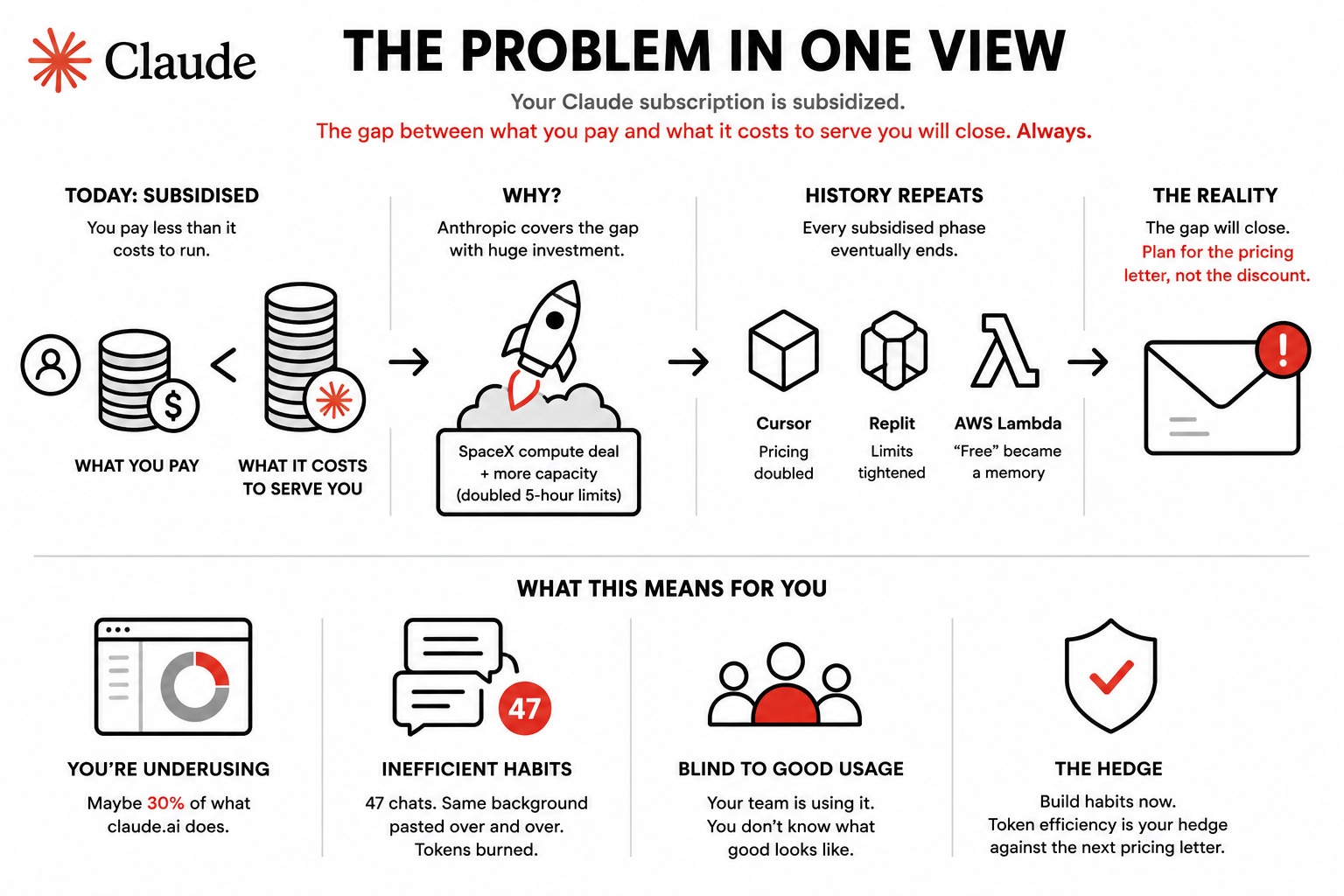
Forget saving 20 dollars this month. Token efficiency is a hedge against the next pricing letter. The earlier the habit forms, the smaller the adjustment when it hits, and the further your existing subscription stretches in the meantime.
You already know this in your gut. You are using maybe 30 percent of what claude.ai does. Your sidebar is a graveyard 47 chats deep, each one starting with the same paragraph of background about your business. Your team has started using it and you have no idea what good usage even looks like, which means you have no idea how to coach them. The viral “seven hacks” post was not written for you. This one is.
Five habits. None of them require Claude Code, the API, or anything you have to install. They all live inside the claude.ai app you already pay for.
Stop letting Claude pad. Set Concise once.
Long threads punish verbosity. Every reply gets re-ingested as input on the next turn. A wordy assistant doubles your bill across a working day.
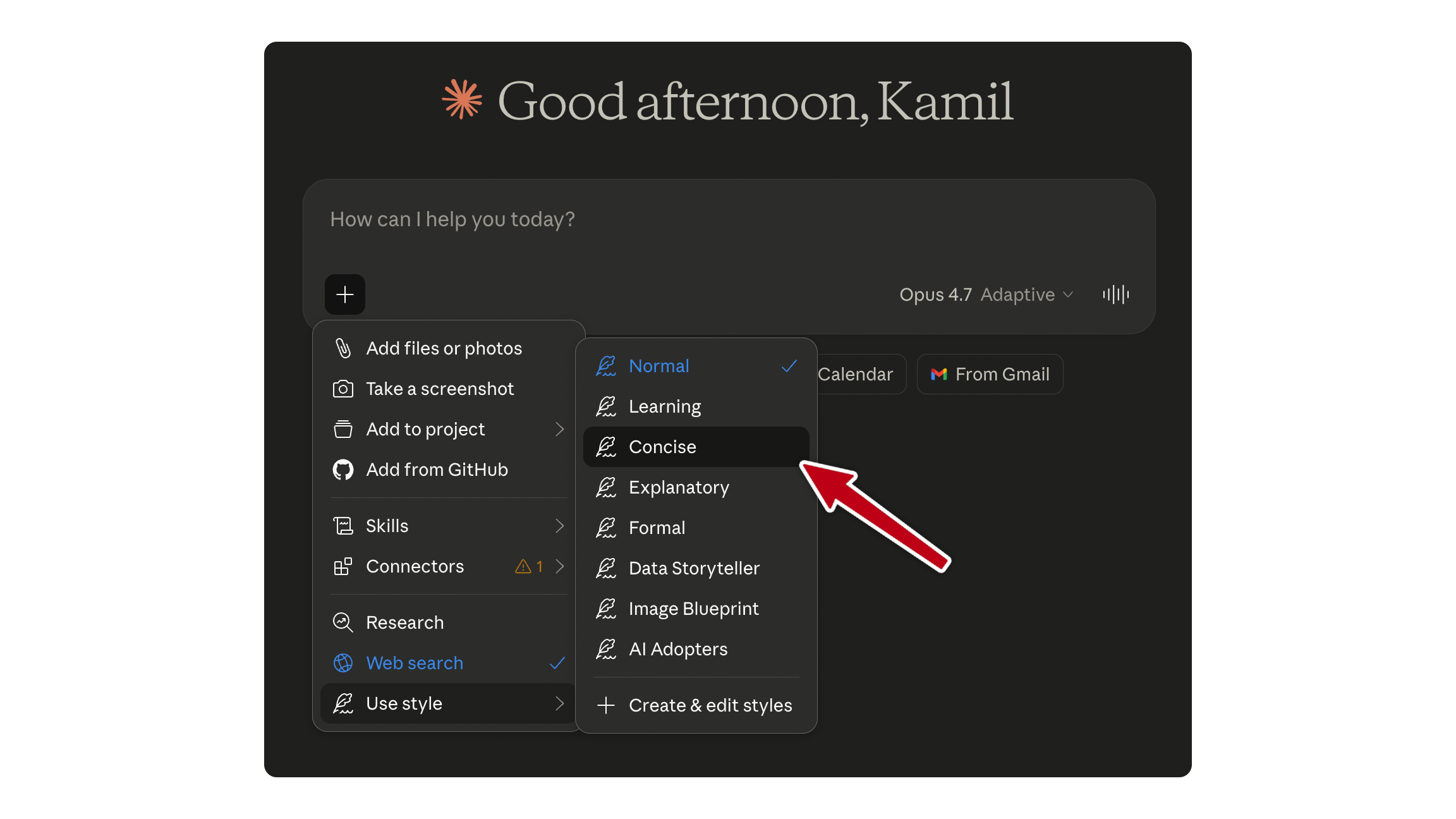
Two moves. Open the style picker at the bottom of the chat and switch to Concise. That alone is worth a chunk. Then go to Settings,General, Profile, Instructions for Claude, and paste this:
Lead with the answer. No preamble, no “great question,” no narration.
Code blocks or bullet lists first when the answer is structural.
Add one short sentence of justification only when correctness depends on it.
Maintain 100 percent accuracy on facts and numbers.
That is your house style now. It rides on every chat across every project.
The guilt you feel about asking your $20-a-month subscription to write things faster is the wrong instinct. Padding is the bug. Concise is the fix.
Live in threads, not new chats.
This is the biggest single move on the page.
You start a new chat for every task because you do not trust Claude to remember. So you re-paste the same paragraph of background about your business, your team, your client. sixty-seven times. That is input tokens being burned to recreate state Claude already had two days ago.
The shift: pick three to five long-running threads per area of your work. One for “Q3 board prep.” One for “Acme client strategy.” One for “Hiring decisions.” Continue them. Stop starting new chats for the same recurring work.
When a thread feels heavy, do not abandon it. Ask:
Summarise the decisions, current state, and open questions in 250 words.Paste that into a new thread to continue. State preserved, tokens released.
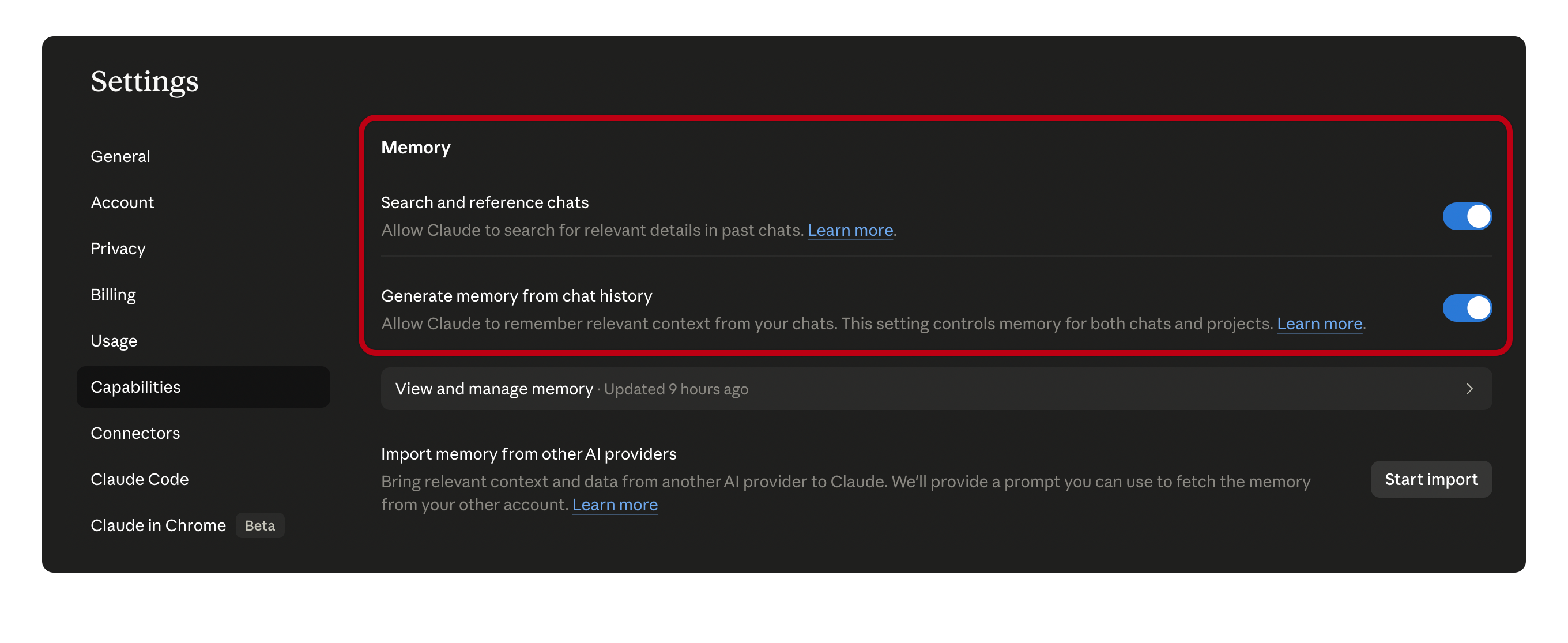
Two settings to flip while you are in there. Settings, Capabilities, turn on “Search and reference past chats” and “Generate memory from chat history.” Both shipped in 2026. The first stops you re-opening the same answer from a Tuesday in March. The second turns “I have to re-explain my situation every time” into “Claude already knows.”
Stable threads are cheaper threads. Your existing background gets cached server-side. You stop paying input tokens to remind a system that has the receipts.
Projects are the leverage move you are not using.
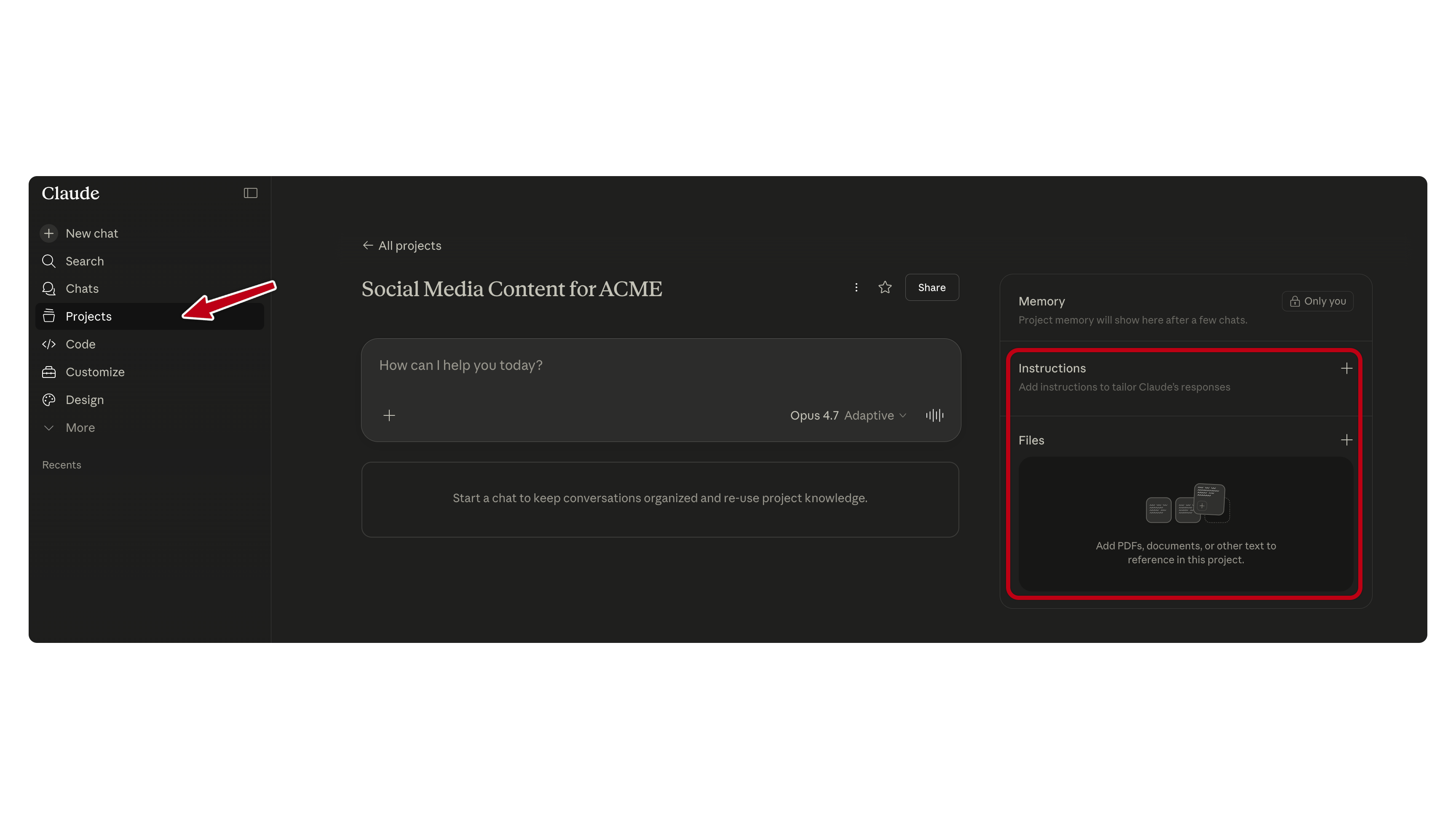
If you have one Project and it is called “Untitled,” you are leaving the single biggest claude.ai feature on the table.
The shift: one Project per major client or function. Not one per task. Upload your reference files once. Brand guidelines, contract templates, SOP documents, past briefs, your business background, your style guides. Set the project’s custom instructions to the rules that always apply: your tone, what you sell, the decision criteria you use, the things Claude should never assume.
Every chat inside that project inherits everything. You stop pasting your “about us” paragraph at the top of every thread. You stop re-uploading the same PDF.
When the project’s knowledge gets large, RAG activates automatically on paid plans. This shipped in March. You do not configure it. Claude switches to a search-the-knowledge-base tool when the window starts to fill, and capacity expands up to ten times.
One trap. Do not build one giant “Everything” project. Group narrowly. RAG does worse on broad collections than on tight ones. If you have an Acme project and a Beta Corp project, do not merge them into “Clients.” Keep them separate.
Pick the right model. Stop burning Opus on email.
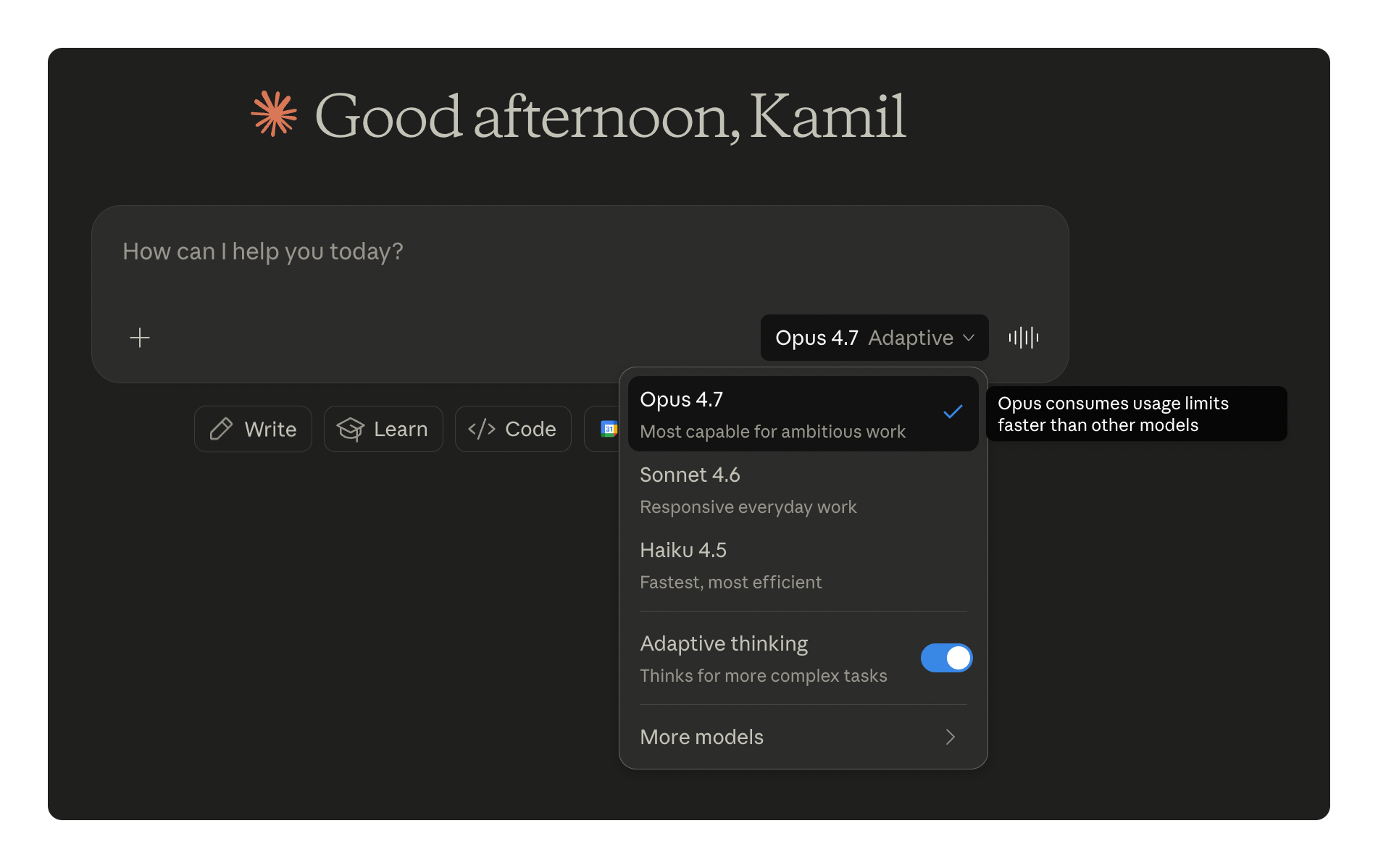
The model picker exists for a reason. Most Pro users set it once during onboarding and never touch it.
Sonnet 4.6 is your daily driver. It handles drafting, analysis, summarising, briefing, decision support at near-frontier quality and burns less of your quota.
Opus 4.7 is for hard cross-cutting work. Complex reasoning, novel research, board-level strategic decisions where being right outweighs the bill. One thing to know: Opus 4.7 launched on 16 April with a new tokenizer. The same input text can produce up to 35 percent more tokens than the same text on Opus 4.6 or Sonnet 4.6. Pro and Max quotas are not priced by token, but every Opus session eats your five-hour window faster than it used to. Use Opus when the quality of the answer matters more than the cost of the answer. Otherwise switch back.
Haiku 4.5 is the bottom of the picker. Use it for routine extraction, classification, “summarise this five-page PDF,” “categorise these 30 inbound emails.” It is fast, it is cheap on quota, and it is good enough for the work that does not deserve Sonnet.
If you cannot articulate which model you used last Tuesday for the email draft you sent, you are eating expensive quota for cheap output. Look at the picker. Make it a decision.
The team move. The 30 percent problem multiplies.
If you use 30 percent of claude.ai and your five team members each use 20 percent, your team’s collective fluency is below your individual fluency, and the bill is six times yours. This is the conversation procurement is going to start having with you.
Three operator moves.
Write a one-page team standard. Which model when. The Concise + custom instruction setup from habit one. The shared Projects everyone should be in. The data your team should never paste into Claude. One page, not ten. Make it the onboarding doc for the next hire.
Audit usage once a month. Workspace and Team plans show per-user patterns. Outliers point in two directions: power users worth shadowing on a Friday afternoon to learn from, or coasters worth a quiet coaching conversation. Most teams have one of each they have not identified.
Make one person the AI lead. Not full-time. A few hours a week. They own the team standard, they update the Projects, they answer “should we use Claude for this?” so you do not. This is how operators who get the AI question right are different from operators who keep getting blamed for the bill.
That’s it, pick one habit. Build it this week. Add the next one next week. By the time the next pricing letter arrives, your claude.ai subscription will stretch further than your peers’, your team will have a standard to fall back on, and you will be the operator who already knew this conversation was coming.
Adapt & Create,
Kamil
P.S. for the developers reading
A subset of this list runs Claude Code on top of claude.ai. Skip this block if that is not you.
Two free tools that compound the habits above.
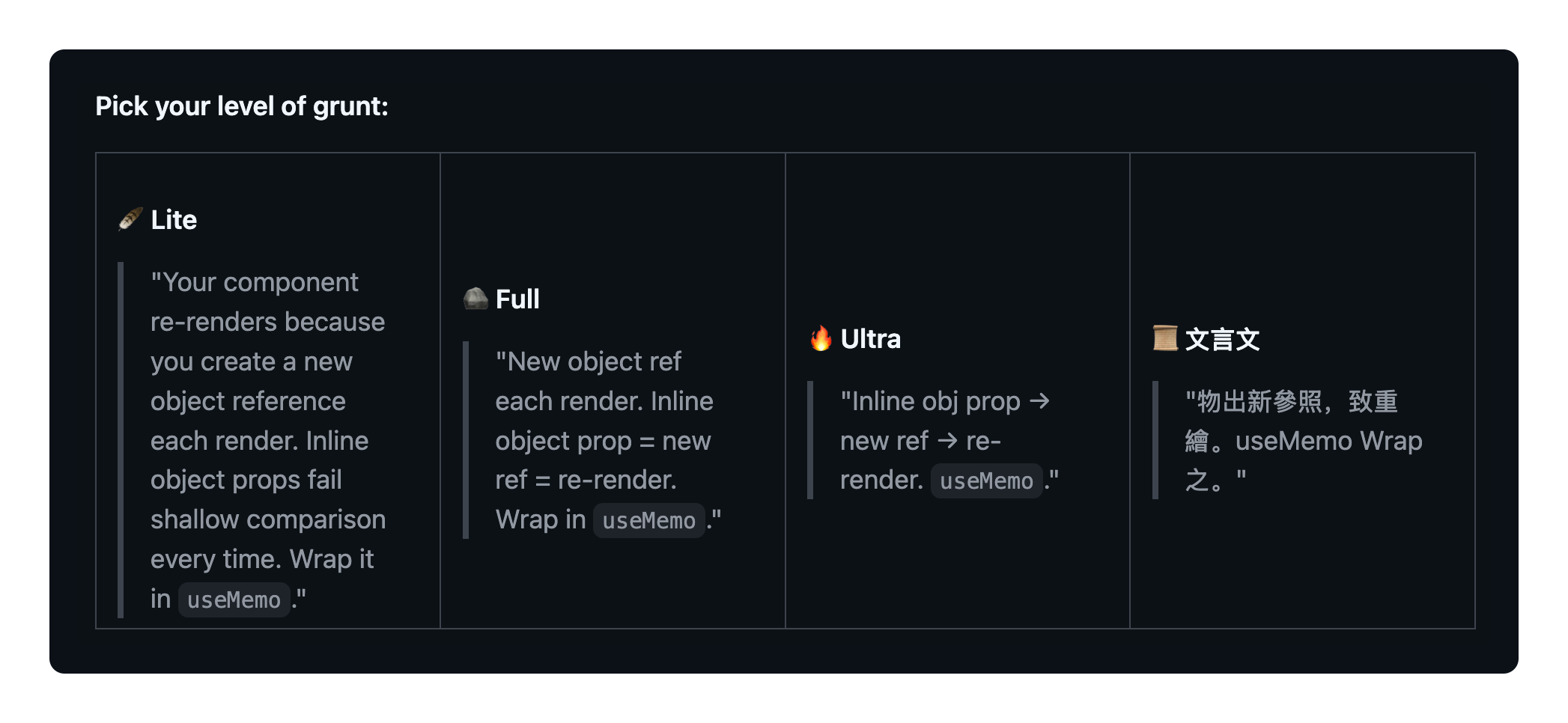
caveman by JuliusBrussee is habit one as a skill. Cuts output 22 to 87 percent across coding tasks, ships sub-skills for one-line PR reviews and tight conventional commits. macOS and Linux:
curl -fsSL https://raw.githubusercontent.com/JuliusBrussee/caveman/main/install.sh | bashWindows PowerShell:
irm https://raw.githubusercontent.com/JuliusBrussee/caveman/main/install.ps1 | iexActivate with /caveman lite for professional-but-terse, /caveman full for grunt mode. Do not run ultra mode on legal, medical, security, or learning content.
code-review-graph by tirth8205 is habit three for repos. Persistent local graph, 28 MCP tools, 23 languages, self-reported 6.8 times fewer tokens on reviews and up to 49 times on daily coding tasks vs full-file ingestion.
pip install code-review-graph
code-review-graph install --platform claude-code
Run “build the code review graph for this project” once. Updates incrementally in under two seconds.
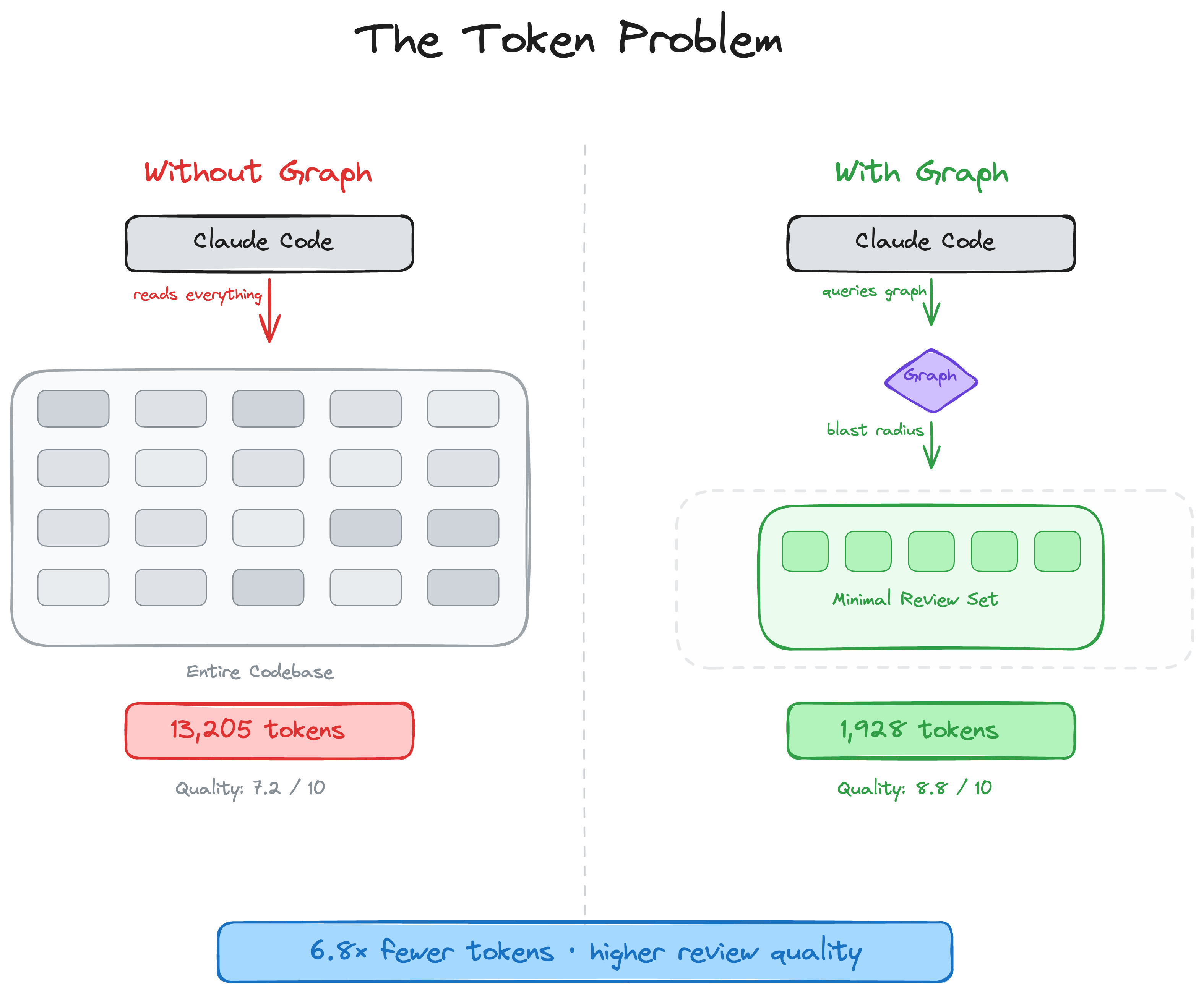
Both are actively maintained. Neither replaces the five operator habits.
Fantastic - on my top to do list thanks!
Hey Kamil, I like caveman! The only complaint I have about it is you'll have to invoke it every time. Another alternative is context-mode plugin, which just manages context from mcps in the background via hooks.