


Hey Adopter,
Last week I talked with a client’s leadership team. They wanted to roll out AI across their marketing department. Hand everyone a licence, load up some prompts, let them loose. Sounded reasonable until I asked one question: who’s going to direct these tools?
Silence…
Giving your team an AI assistant without structured instructions is like hiring a brilliant intern with no onboarding. They’ll produce something, sure. Whether it’s useful is another story.
That conversation pushed me to finish something I’ve been building. A single plugin file that turns Claude’s desktop app into a trained marketing operator, 12 skills, 5 slash commands, zero prompt engineering required. Today I’m walking you through what it is, why it matters more than saved prompts or project files, and how you can install it in 30 seconds.
Let me start with the foundation for anyone who hasn’t tried this yet.
Claude’s desktop app changed how we work
Anthropic shipped a mode inside Claude’s desktop app called Cowork. Think of it as Claude with hands. It reads your files, writes documents, browses the web, connects to your email and calendar, and executes multi-step tasks without you babysitting each click.
The old way of using AI was a chat box. You typed, it responded, you copied the output somewhere else. Cowork flipped that. You point it at real work, and it does real work. Spreadsheets, slide decks, research reports, code. It operates on your actual files in your actual folders.
That alone makes it worth switching to. But Cowork’s real power comes from something most people haven’t touched yet.
Plugins turn Claude from a generalist into a specialist
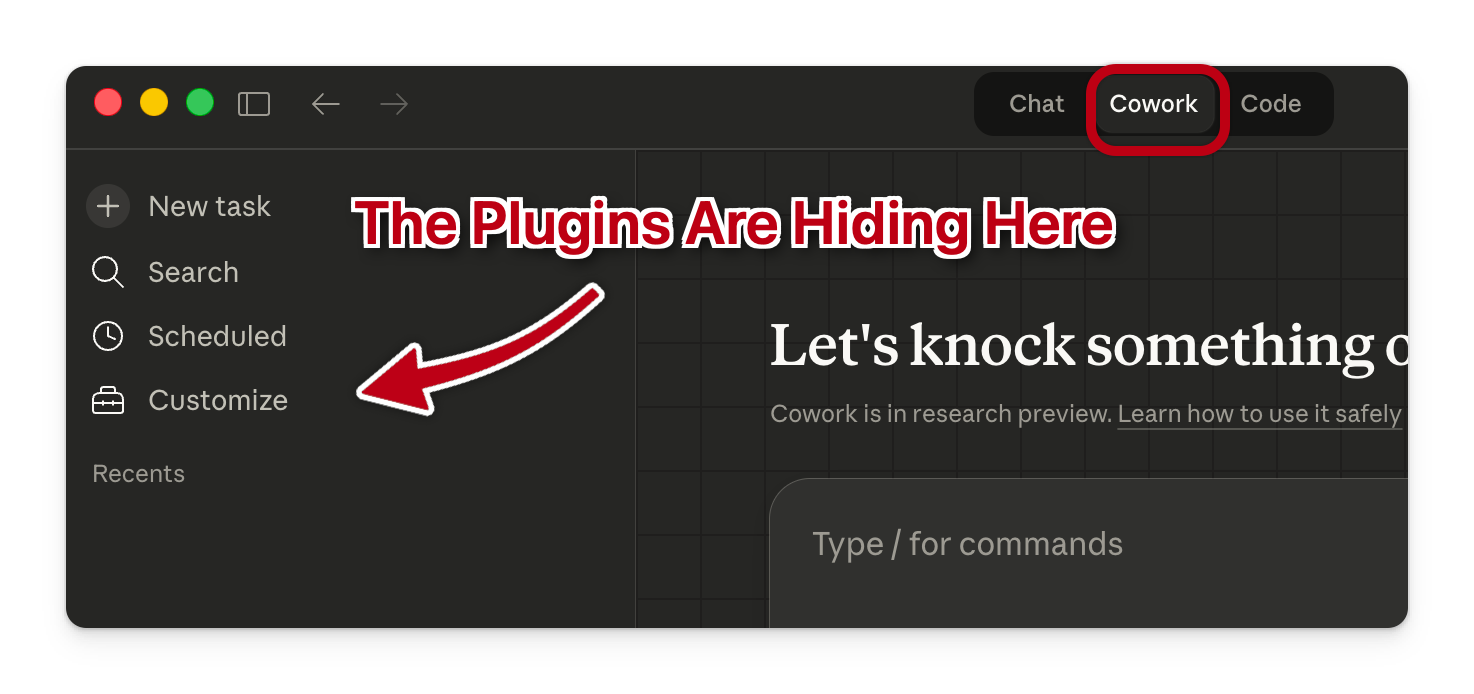
A plugin is a bundle of instructions you install into Cowork. Once loaded, Claude stops being a generic chatbot and starts behaving like a trained team member who knows your playbook.
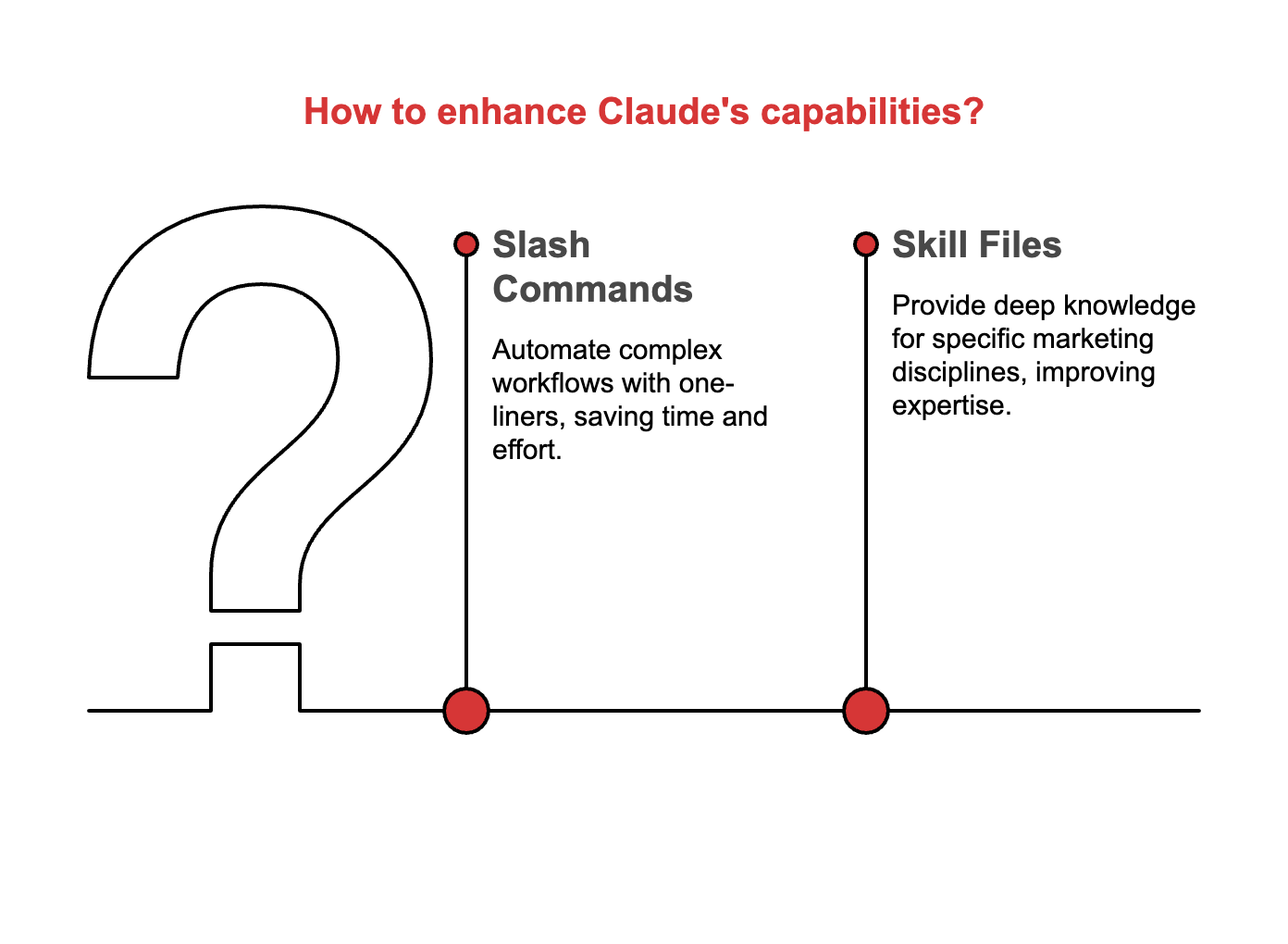
My marketing plugin ships with two types of ammunition.
Slash commands are one-liners that trigger complex workflows. Type
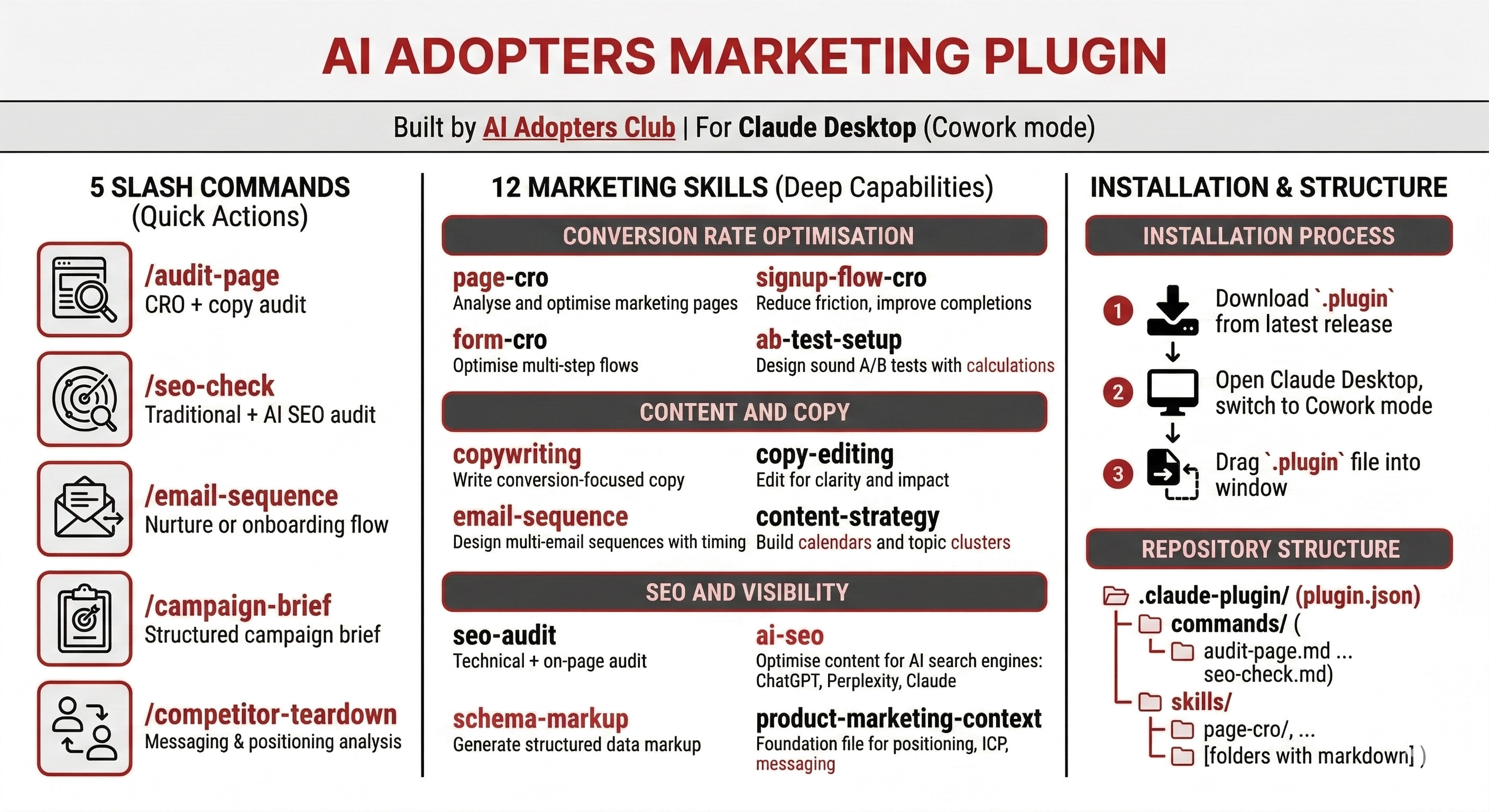
/audit-pagewith a URL and Claude runs a full conversion rate optimisation analysis with copy critique, ranked issues, and specific rewrites. Type/seo-checkand it runs both traditional and AI search engine audits on the same page. Five commands total, each one replacing what used to be a 30-minute manual process.Skill files are the deep knowledge layer. These are detailed instruction sets that tell Claude how to think about a specific marketing discipline. Page CRO, signup flow optimisation, A/B test design, email sequences, copywriting, content strategy, schema markup, AI SEO, and more. 12 skills in total, each one refined through hundreds of real-world runs.
The difference between prompting and a plugin is the difference between giving someone directions every time they drive to work versus giving them a GPS that already knows the route.
Why this beats prompting, projects, and prompt libraries
Most marketers using AI right now fall into one of three camps.
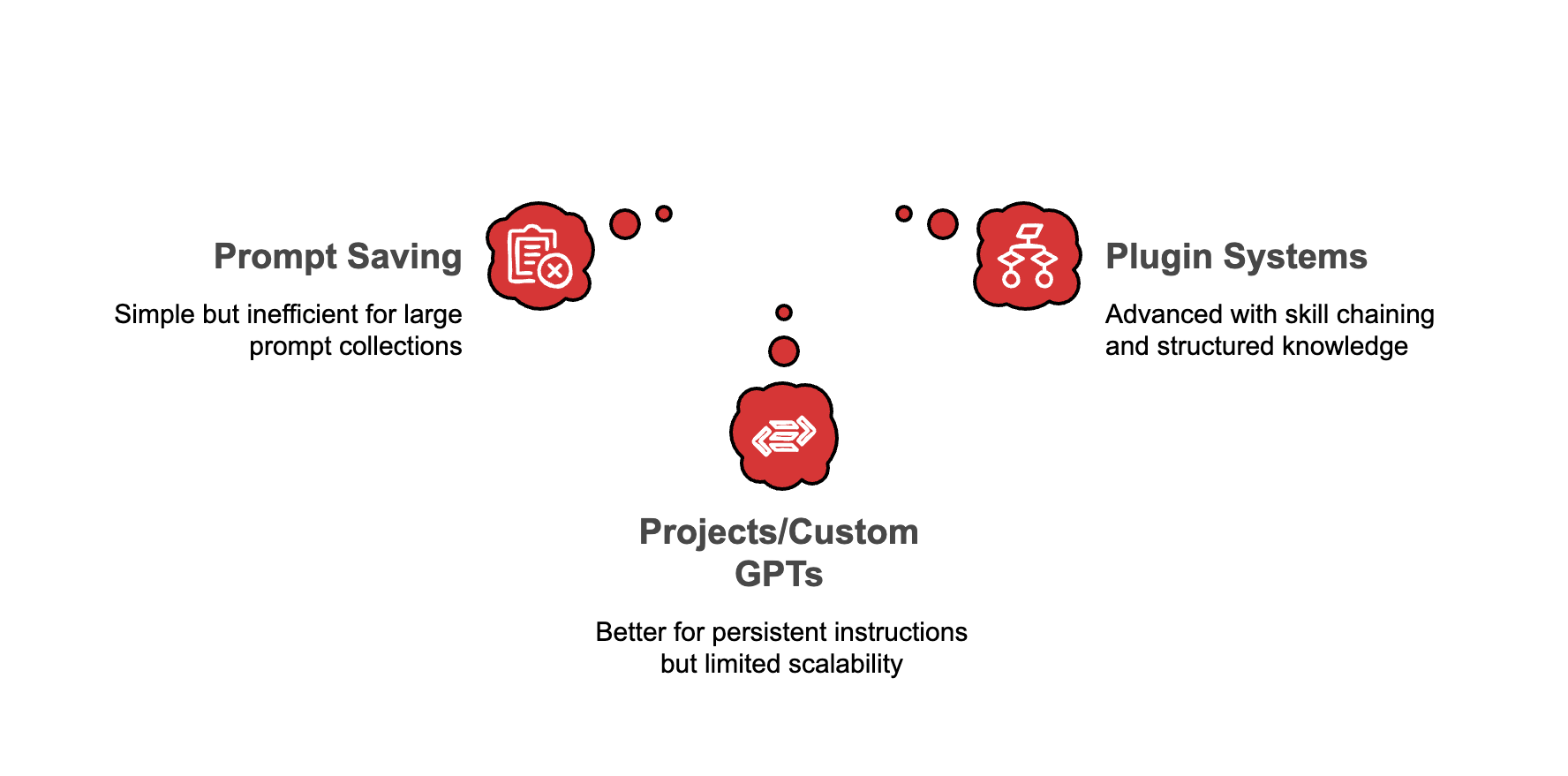
Camp one saves prompts in a Google Doc and pastes them into ChatGPT when needed. Works until you have 200 prompts and can’t remember which version was the good one.
Camp two uses Claude Projects or custom GPTs. Better. You get persistent instructions. But those instructions live in a single block of text, they don’t coordinate with each other, and they cap out fast once you need more than surface-level guidance.
Camp three isn’t really a camp yet. These are the people running plugin systems where skills reference each other, commands chain multiple skill files together, and the AI pulls from structured knowledge instead of a wall of prose.
That third camp is where the gap opens up.
Copy this url and use it in your Claude Desktop App as shown in the video
https://github.com/kbanc85/AIAC
How the skill files actually work
Each skill file follows a specific architecture. It’s not a prompt. It’s a decision tree.
Take the page CRO skill. When you tell Claude to audit a landing page, the skill file tells it to first check for existing product marketing data, then identify the page type, then run a six-part analysis covering value proposition clarity, visual hierarchy, friction reduction, trust signals, CTA effectiveness, and mobile experience. Each section has specific criteria, scoring rubrics, and output formats.
That’s different from telling Claude “you are a CRO expert, please review my page.” Night and day different.
The skill files I built for this plugin went through heavy revision. The open-source versions on GitHub were good starting points. The plugin versions are sharper. Tighter scoping, better trigger phrases so Claude activates the right skill without you manually pointing it at one, clearer output formats so you get deliverables instead of essays, and cross-references between skills so they work as a system rather than 12 disconnected documents.
Here’s a concrete example. The /audit-page command doesn’t run one skill. It reads the page-cro skill for conversion analysis, then reads the copy-editing skill for messaging review, then delivers a single unified audit with five sections. Two skills, one command, one output. That kind of orchestration doesn’t happen with a prompt library.
What’s inside the plugin
Three categories, twelve skills, five commands.
Conversion rate optimisation covers page CRO, signup flow optimisation, form CRO, and A/B test setup. These are for marketers who need to fix what’s already live.
Content and copy includes copywriting, copy editing, email sequences, and content strategy. Writing skills that produce actual drafts, not advice about drafting.
SEO and visibility handles traditional SEO audits, AI search optimisation, schema markup, and product marketing foundation. That last one is the base file, it stores your positioning, ICP, and messaging so every other skill can reference it without you repeating yourself.
How to use
Type any slash command to get started:
/audit-page https://yoursite.com
/email-sequence welcome series for new trial users
/seo-check https://yoursite.com/blog
/campaign-brief launching a new pricing tier next month
/competitor-teardown https://competitor.com
Skills trigger automatically when you describe marketing tasks in conversation. Ask about conversion rates, copy feedback, email flows, or SEO issues and the right skill loads.

How to install it
Follow the instructions in the video. Open Claude Desktop. Go to Cowork mode. Drag the file in. Done.
Claude picks up every skill and command immediately. No configuration, no API keys, no setup wizard.
Start with /audit-page on your homepage. See what comes back. Then try /seo-check. Then build an email sequence. Each run will show you how different this is from raw prompting.
This is the first plugin I’m releasing. More are coming. The skill file format keeps getting better, and every improvement makes the output sharper.
Your move.
Adapt & Create,
Kamil