


Hey Adopter,
By the end of this piece, you’ll know how to install a Claude skill that turns any topic into an animated, designer-grade presentation. No PowerPoint, no Canva, no design skills. You’ll also get the skill file itself, ready to drop in and start using today.
The presentation problem nobody talks about
Someone asks you to “put together a few slides.” The content is the easy part. Making it look good is a separate discipline. You open PowerPoint, pick a default template, drag some boxes around, and end up with something that screams I made this in 20 minutes.
A Claude skill called Frontend Slides closes that gap in a single conversation. The output isn’t a template you tweak inside someone else’s software. It’s a complete, self-contained HTML file you own. No subscriptions. No build tools. One file you open in any browser, with keyboard navigation, swipe support, scroll-snapping, and animated transitions.
So what does “designer-grade” look like when AI builds it?
12 themes that don’t look like AI made them
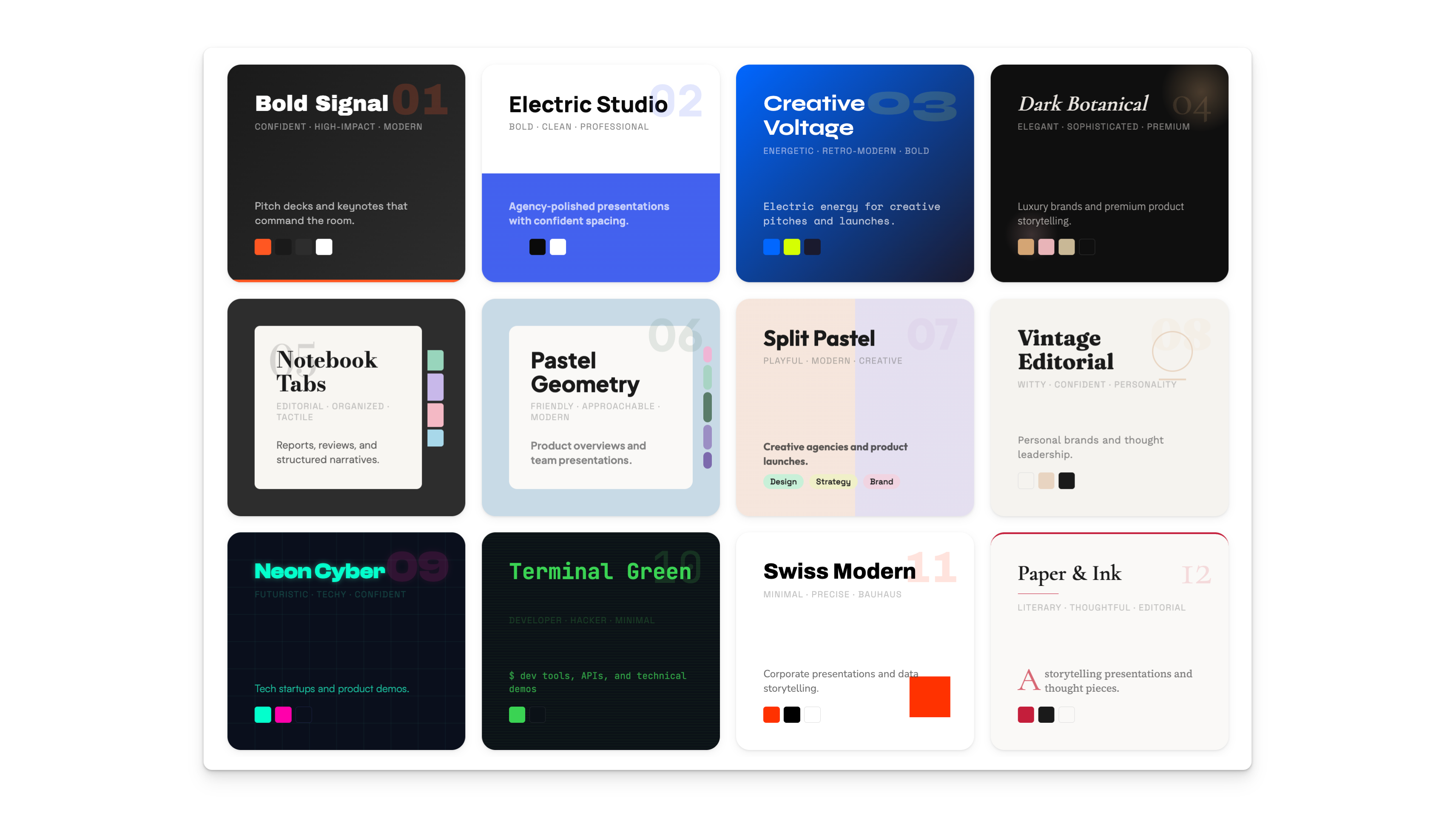
The skill ships with 12 complete visual identities. Not color swaps. Each theme includes curated font pairings from Fontshare and Google Fonts, a full color system, and signature design elements. The skill bans the generic AI aesthetic: no Inter, no Roboto, no purple gradients on white.
I’m not trying to be Captain Obvious here, but I’m just letting you know that you can obviously customize any of those themes to your own liking with natural language at any point in time.
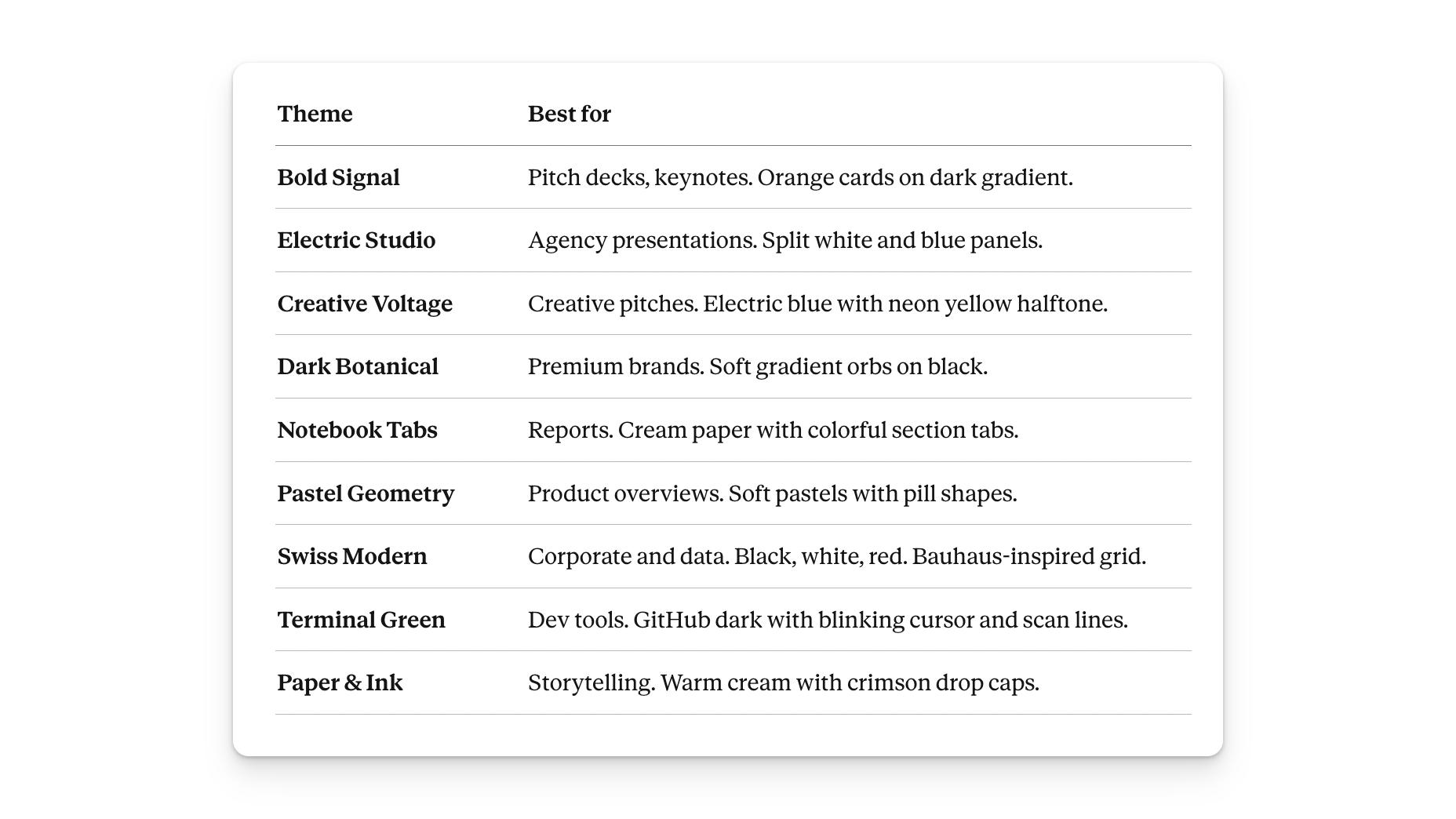
You pick a theme directly, describe a mood (”premium and confident”), or ask Claude to generate three mini previews you open in your browser before deciding.
That covers aesthetics. Now, how do you get this running?
How to install the skill (2 minutes)
A skill is a set of instructions you give Claude so it knows how to do a specific job. This one contains the workflow logic, all 12 theme specifications, and the design rules that prevent generic output.
Once you have the files, pick your platform:
Claude Code (terminal)
drag and drop the folder with the file into the terminal when you’re running a cloud session and tell it to install the scale. Ideally I would install it globally.
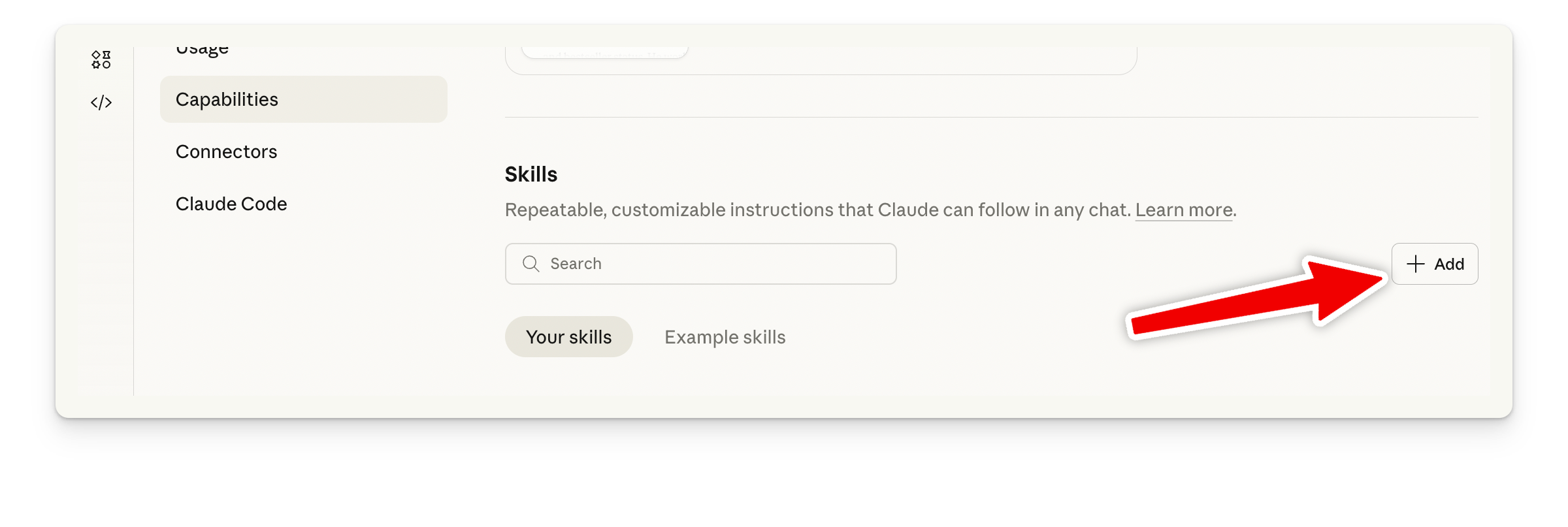
Claude Desktop and Claude.ai
go to Settings, Capabilities, and then add the File.
How to invoke the skill
Say something like: “Create a 10-slide presentation about our Q1 results.”
Claude runs through four steps:
1. Content discovery. It asks about purpose (pitch deck, tutorial, conference talk, internal update), length (5-10, 10-20, or 20+ slides), and whether you have content ready, rough notes, or a topic only. If you have notes, share them. If you have a topic only, Claude builds the outline.
2. Style discovery. Browse three generated previews, pick directly from the 12 presets, or describe a feeling. Say “something that feels calm and focused” and Claude maps that to Notebook Tabs, Paper & Ink, or Swiss Modern.
3. Generation. Claude builds the full presentation. Every slide fits exactly in the viewport, no scrolling. Content that runs too long splits across multiple slides automatically. All sizing uses responsive scaling so text stays readable on any screen.
4. Delivery. One HTML file. Open it, navigate with arrow keys, scroll, swipe, or click the nav dots. Present directly from your browser.
Two features worth knowing: hand Claude a .pptx file and it rebuilds the entire presentation in any of the 12 styles. And every theme value sits in CSS custom properties at the top of the file, so changing a color or swapping a font takes seconds.
Why this matters beyond slides
This skill encodes real design knowledge: typography rules, color theory, responsive engineering, accessibility standards. Knowledge that takes hours to apply by hand, packaged into a reusable workflow.
Because it’s a skill file, not a SaaS product, you own it. Modify it, add your own brand themes, share it with your team. The output runs offline and produces files you control completely.
This is the pattern worth watching. AI tools are moving from “here’s advice” to “here’s the finished output, review and ship it.” Skills are the mechanism. Install once, use repeatedly, improve over time.
Install the skill this week. Build one presentation you’d normally spend an hour on in PowerPoint. That comparison tells you more about where AI tooling is heading than any trend report.
Adapt & Create,
Kamil