



Hey Adopter,
Every AI image tool promises professional visuals. Most of them butcher your brand name the moment you ask for it on a product.
You’ve seen it. “COFFE SHPO” instead of “Coffee Shop.” Logos that look like they melted. Text that belongs in a horror film.
This matters because the fastest business use for AI images is obvious: product mockups, pitch deck visuals, and branded marketing materials. The stuff you’d normally wait three weeks and pay thousands for.
If the AI can’t spell your company name correctly, it’s useless for actual work.
I collaborated with Mr V, who spent 12 hours stress-testing Google’s Nano Banana Pro API. What he found changes what’s possible for early-stage product visuals.
The text problem is solved
Nano Banana Pro, built on Google’s Gemini architecture, handles accurate text rendering in images. Not “mostly accurate.” Actually accurate.
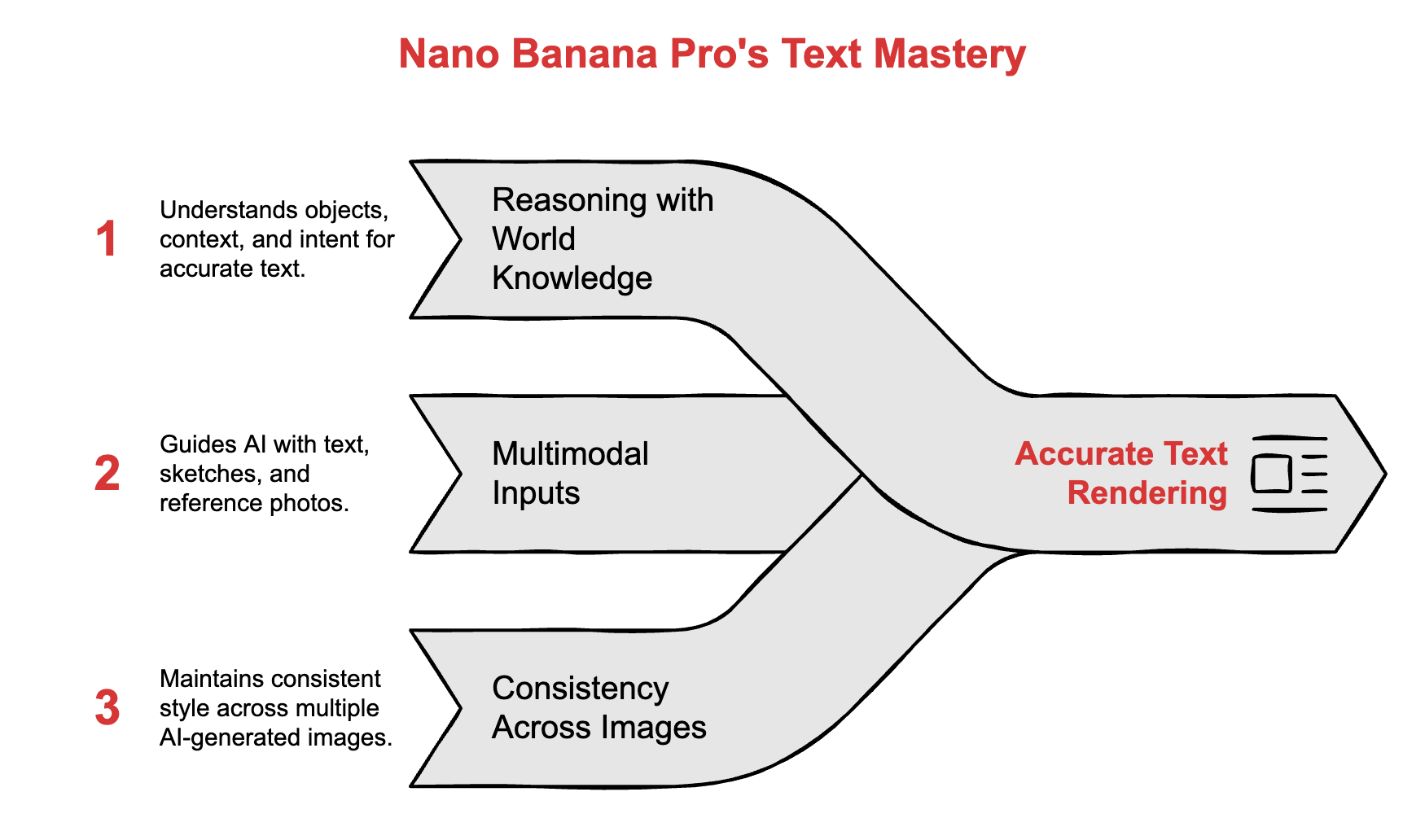
Brand names. Logos. Product labels. Even multilingual text on the same image.
But here’s what makes it different from other AI image tools:
Reasoning with world knowledge - It understands objects, context, and intent. Not just pixels.
Multimodal inputs - Guide it with text, sketches, reference photos, or all three.
Consistency across images - Keep a logo, character, or product style steady across multiple scenes.
These three features make it more than a toy. They unlock real business applications.
Where to access it
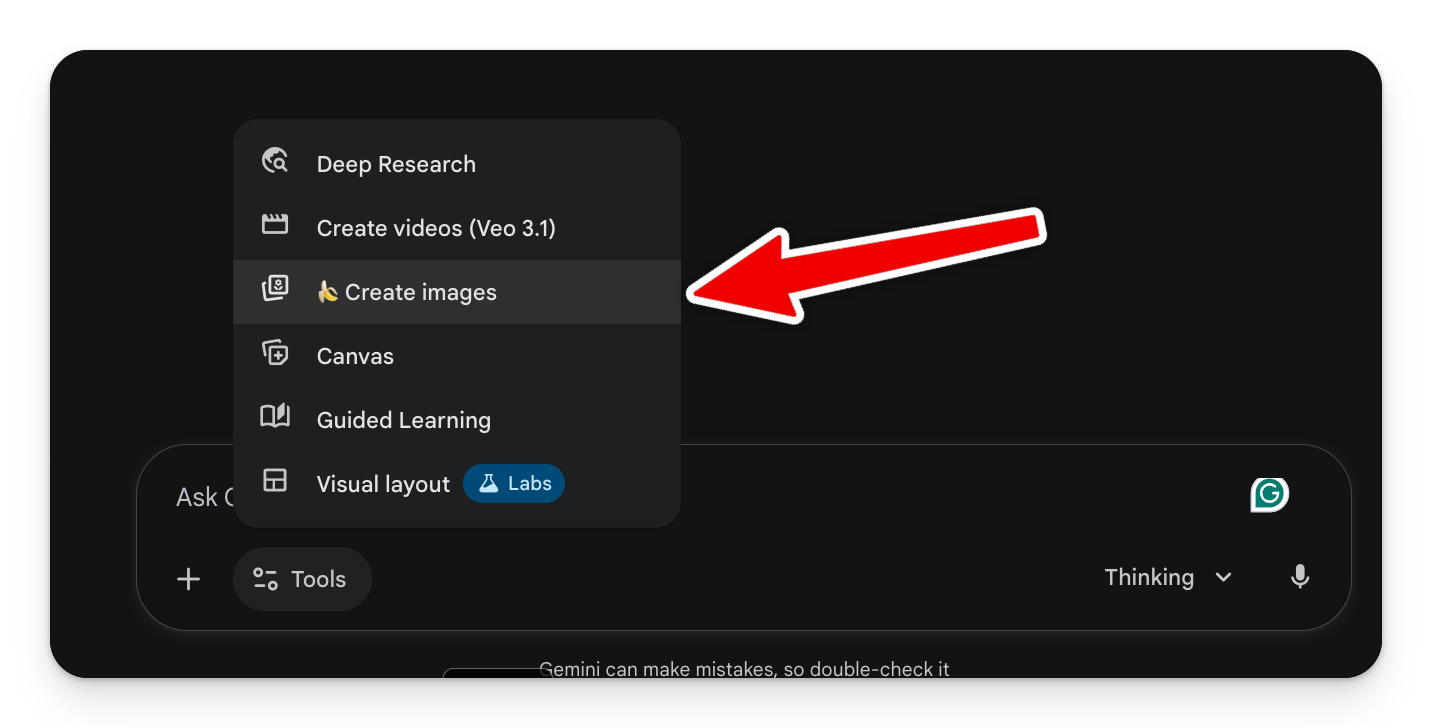
Gemini app - Go to Tools → “Create Images” (look for the banana icon)
Most outputs render in under 10 seconds.
Start simple, then go deep
You don’t need a 200-word mega-prompt to get value. Here’s how to think about it:
Level 1: Upload and describe. Upload your logo or product photo. Write one sentence about what you need.
Level 2: Add constraints. Include brand colours, dimensions, campaign details, or style references.
Level 3: Full control. Camera angles, lighting specs, surface textures, exact text placement. This is where you get studio-quality output.
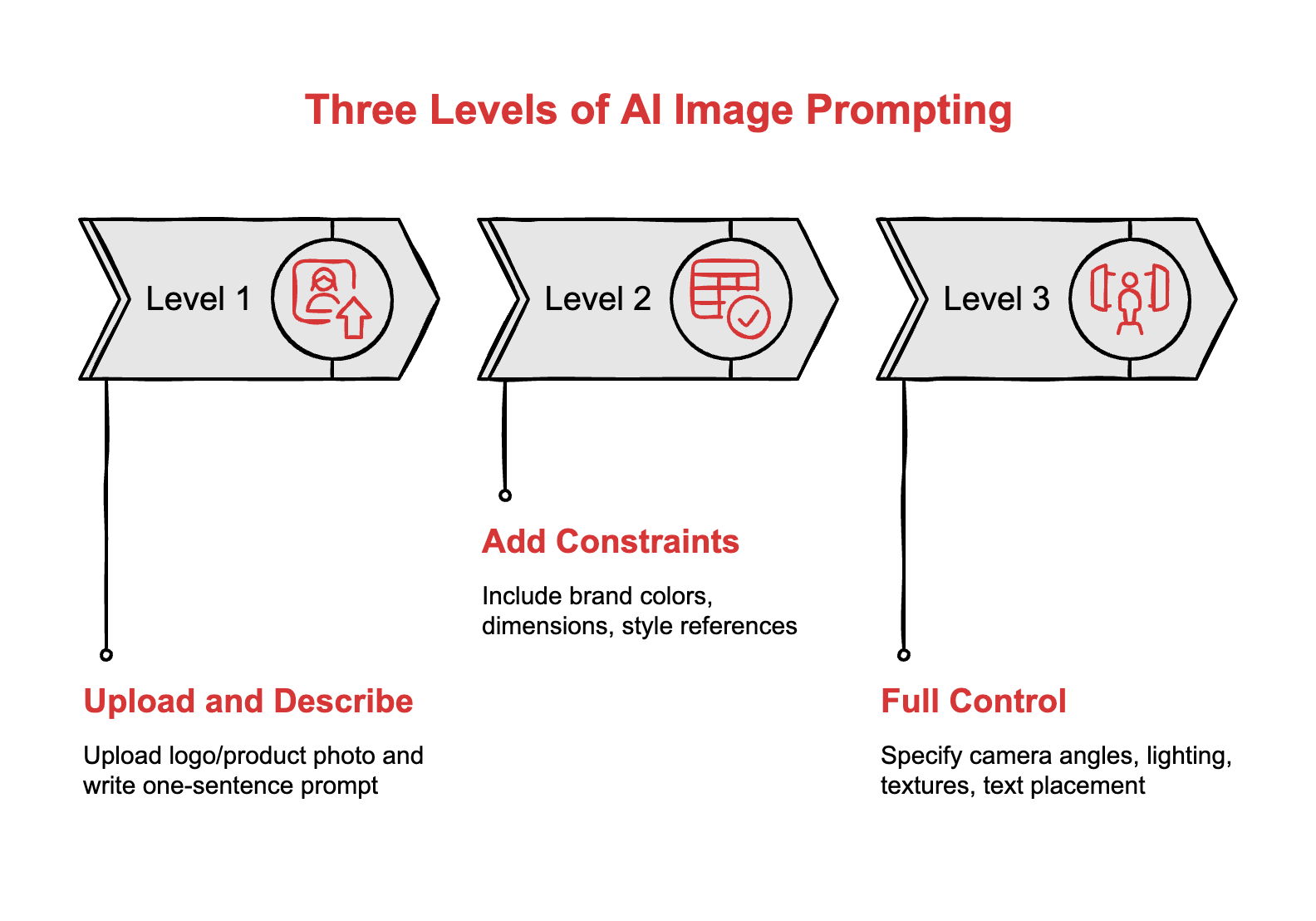
Most business tasks live at Level 1 or 2. Save Level 3 for investor decks and hero images.
Quick wins you can do in 60 seconds
YouTube thumbnails
Upload a headshot, add your video title, specify the format.
Create a YouTube thumbnail in 16:9 ratio.
Use this headshot [upload image].
Title text: “5 AI Tools That Actually Save Time”
Style: Bold, high contrast, eye-catching.
Text should be large and readable on mobile.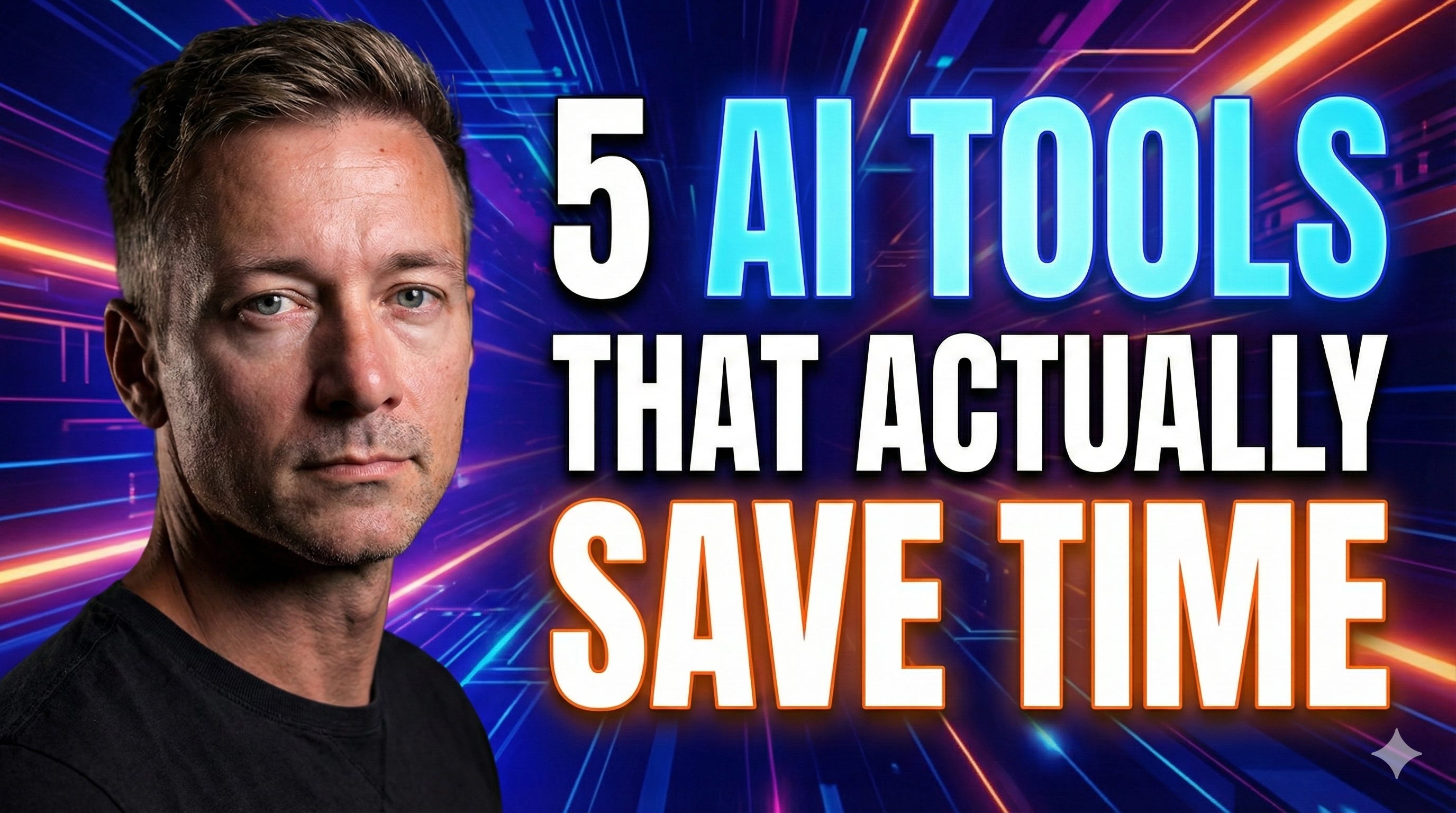
Branded Zoom backgrounds
Create a professional virtual background for video calls.
Brand: [Your Company Name]
Colours: [Your brand colours]
Style: Clean, minimal, modern office aesthetic.
Include subtle logo placement in bottom right corner.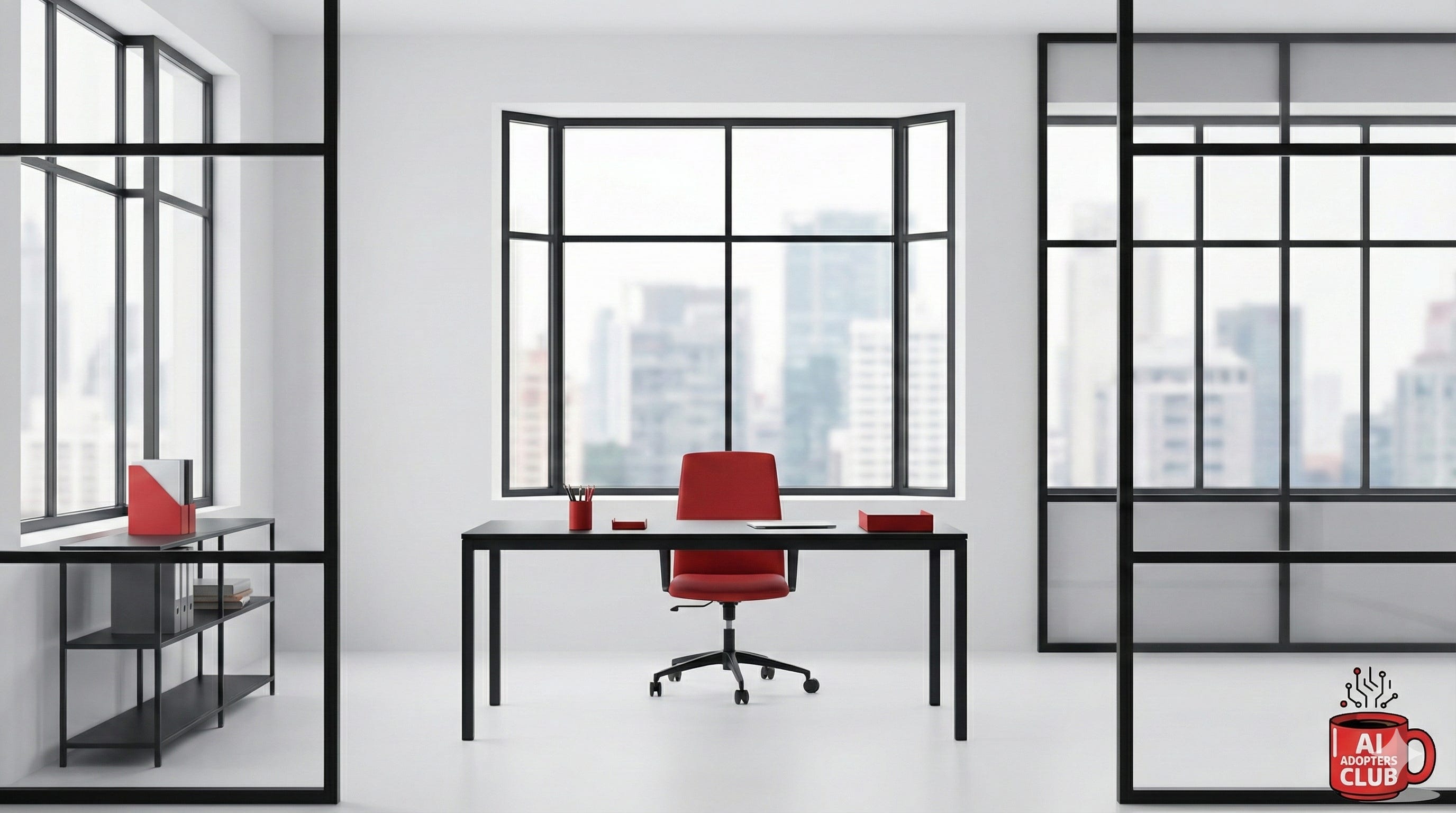
Social media ad creative
Create an Instagram Story ad (9:16 ratio).
Product: [Your product]
Brand colours: [Your colours]
Headline: [Your headline]
Style: Modern, scroll-stopping, lifestyle focused.
Include clear call-to-action button area at bottom.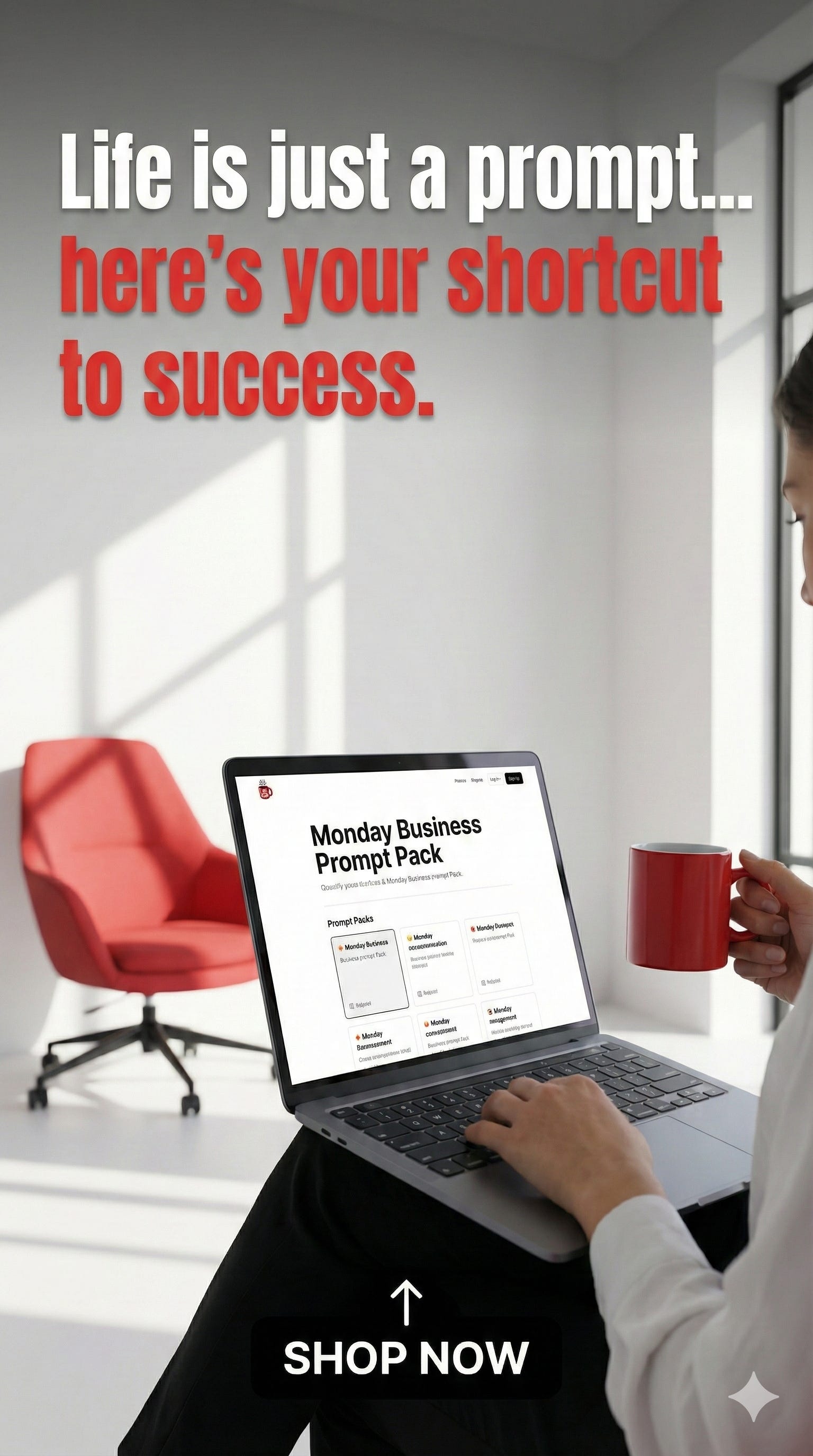
Data visualization
Skip the design tools. Paste your numbers, describe the chart.
Create a modern pie chart showing:
- Product A: 45%
- Product B: 30%
- Product C: 25%

Style: Clean, minimal, corporate presentation ready.
Colours: Blue gradient palette.
Include percentage labels on each segment.
Logo concept from sketch
Got a napkin sketch? Upload it.
Transform this rough sketch [upload image] into a clean, vector-style logo concept.
Style: Modern, minimalist, professional.
Colours: [Your brand colours or “suggest appropriate colours”]
Provide 3 variations.
Business case 1: Product mockups for pitch decks
You need a product shot for your investor deck. The product doesn’t exist yet, or you can’t afford a photographer, or you need it by tomorrow.
This is where Level 3 prompting pays off.
Here’s the prompt Mr V used for a beverage brand concept:
Studio Product shot, a close up shot, 2 peach colour slim cans of soft drink, cans have PEACHY logo ALONG THE LENGTH, around the word PEACHY are several Peach with leaves images. One Can stands upright, second can lays horizontal at slight angle on a wide royal blue table, edges of table are NOT visible. Behind table is a peach colour backdrop. Waist high shot just above table surface height 50mm lens full frame camera, lighting is full coverage, cans cause a slight shadow on the table top. Can has WET surface frosting effect AS IF TAKEN FROM A CHILLER and several water drops running down the side, water droplets on the table around the cans. CANS FILL MOST OF FRAME. Horizontal can must have PEACHY WRITTEN ALONG THE SIDE. TOP OF HORIZONTAL CAN SHOW UNOPENED RING PULL TAB. BOTH CANS HAVE A WET SURFACE.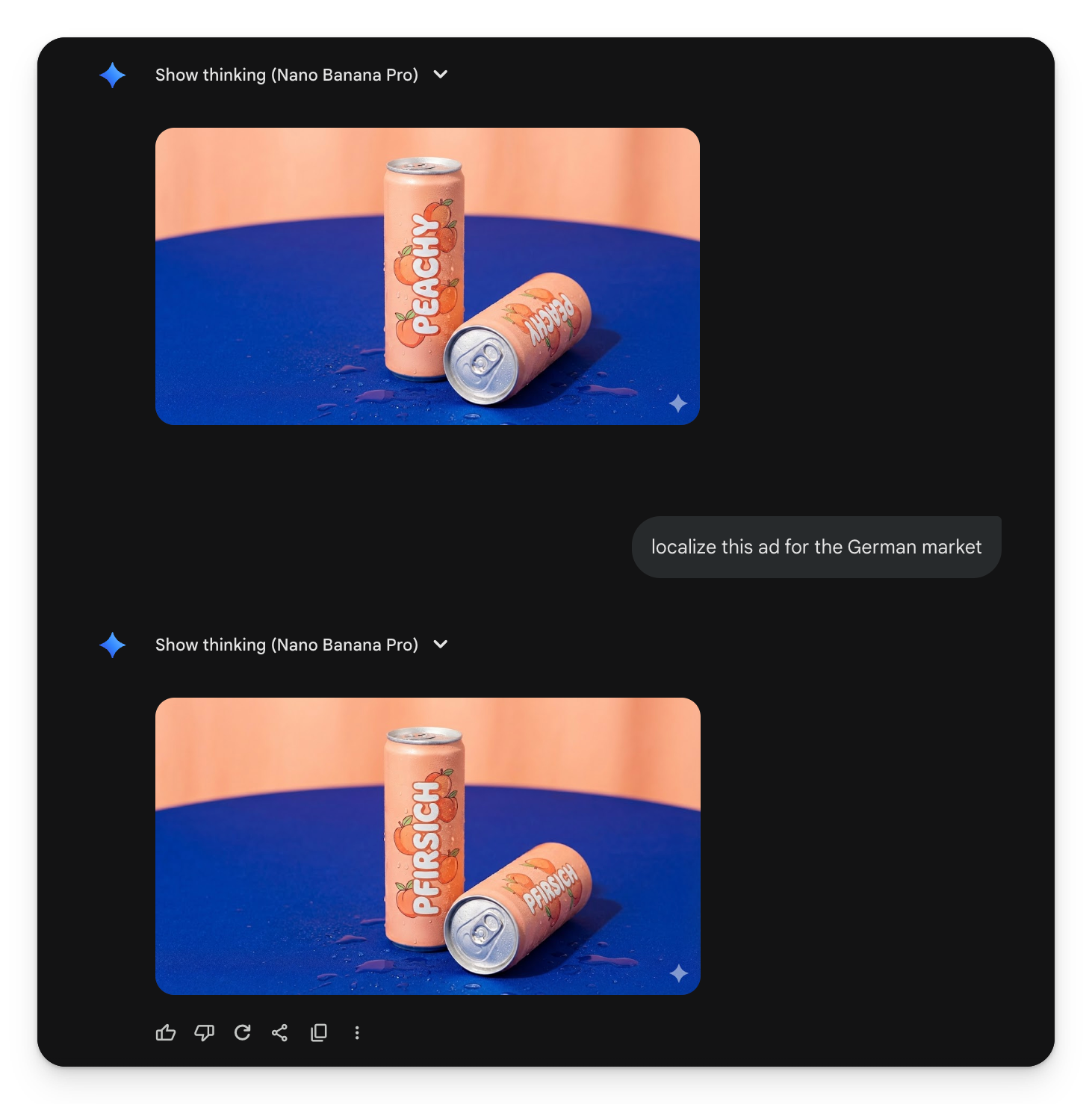
What makes this prompt work:
Specific camera details (50mm lens, full frame, waist high)
Lighting instructions (full coverage, slight shadow)
Surface texture (wet, frosting, water droplets)
Exact text placement (logo along the length, brand name on horizontal can)
Composition rules (cans fill most of frame, table edges not visible)
The output looks like a professional product photographer spent an afternoon on it. Studio lighting. Accurate branding. Realistic condensation. The text says “PEACHY” where it should say “PEACHY.”
When to use this level of detail:
Pre-launch product concepts for investor decks
E-commerce listings before final packaging arrives
Client presentations showing proposed designs
Crowdfunding campaign hero images
Nano Banana Pro handles up to 14 image inputs at once and maintains consistency across multiple elements. You can iterate on the same product across different scenes without the branding drifting.
Business case 2: Marketing graphics with meaningful typography
Social media, posters, presentation headers. Anything where text needs to look intentional, not slapped on.
Most AI tools treat text as an afterthought. This one understands that “BREAK” should look broken and “MELT” should look melted.
Create a clean white background image containing eight bold onomatopoeia-style words, each with a unique text effect that visually matches the meaning of the word. Use black text only, no gradients, no colors. The design style should be simple, flat, high-contrast, and cartoon-like.

Use the following words and apply the matching text effects:
1. BREAK - cracked, shattered text effect with small debris pieces.
2. ZOOM - motion-blur horizontal speed lines behind the letters.
3. QUIVER - subtle jittery wavy distortion around the text.
4. POP - comic-style burst rays radiating outward behind the word.
5. MELT - dripping liquid effect falling from the bottom of each letter.
6. PRESS - squeezed, slightly compressed letters as if under pressure.
7. BLAST - curved arc baseline, bold, powerful impact shape.
8. SHAKE - wobbly, uneven wave distortion across the word.

Keep each word separated and evenly spaced, arranged in two rows of four. Use a bold sans-serif font similar to comic sound effects. Overall look: minimal, crisp, modern, and graphic.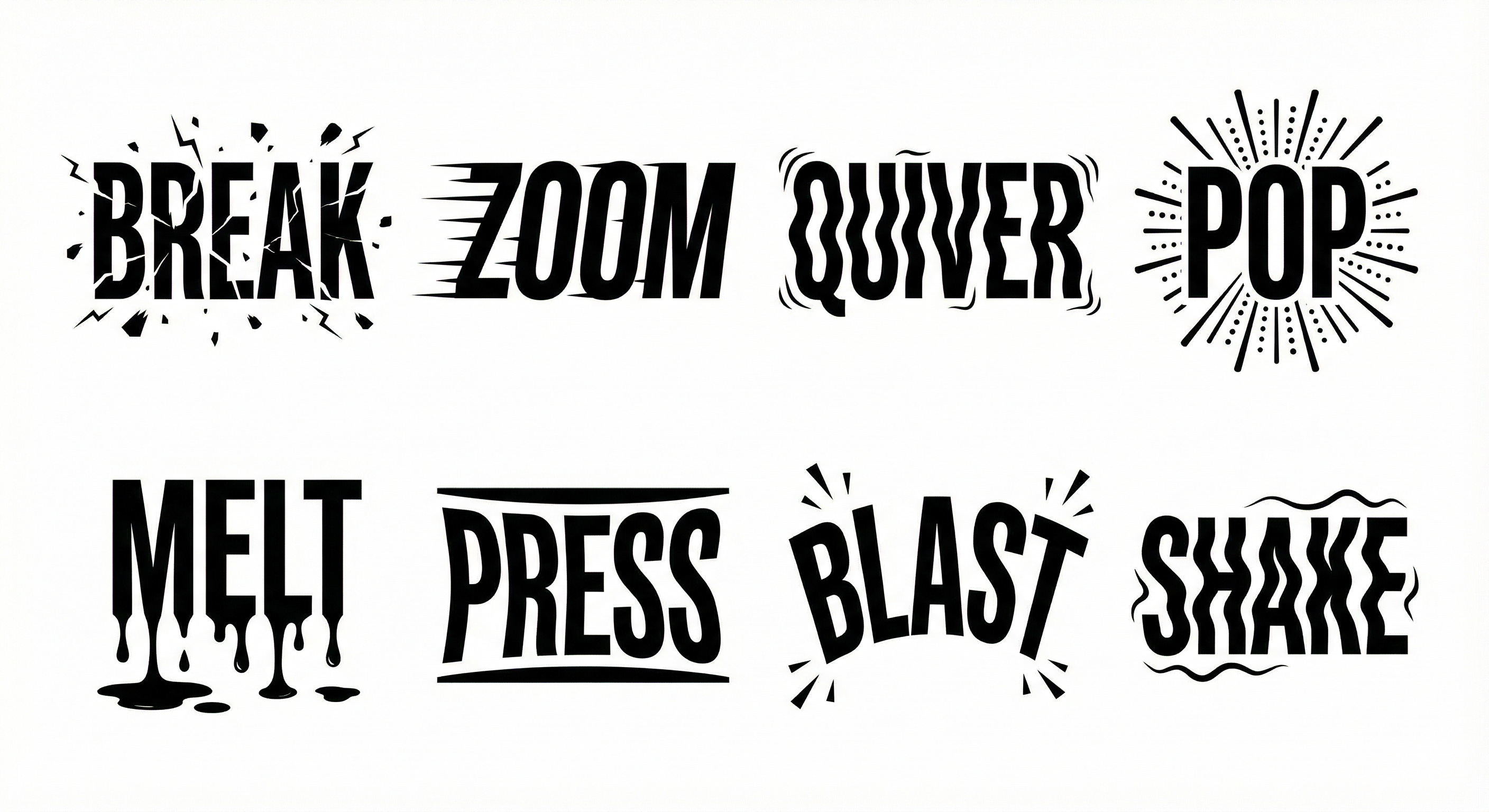
What makes this prompt work:
One word, one effect, explicitly matched
Style constraints (black only, no gradients, cartoon-like)
Layout instructions (two rows, evenly spaced)
Font direction (bold sans-serif, comic style)
Each word got contextually appropriate visual treatment. The model understood that “ZOOM” needs speed lines and “MELT” needs drips.
When to use this:
Social media headers and thumbnails
Presentation title slides
Event posters and promotional materials
Brand assets that need personality without a designer
Business case 3: Consistent character across campaigns
One of the hardest problems in AI image generation: keeping the same character, mascot, or product looking consistent across multiple images.
Nano Banana solves this. Train it on your photo, product, or mascot. Use the same look across ads, blog graphics, and campaigns.
Using this reference image [upload your character/mascot/product photo], create a series of 4 images showing the same [character/product] in different scenarios:

1. Professional office setting
2. Outdoor casual environment
3. Celebrating/energetic pose
4. Thoughtful/working pose

Maintain exact visual consistency: same colours, proportions, style, and brand elements across all images.
Format: Square (1:1) for social media use.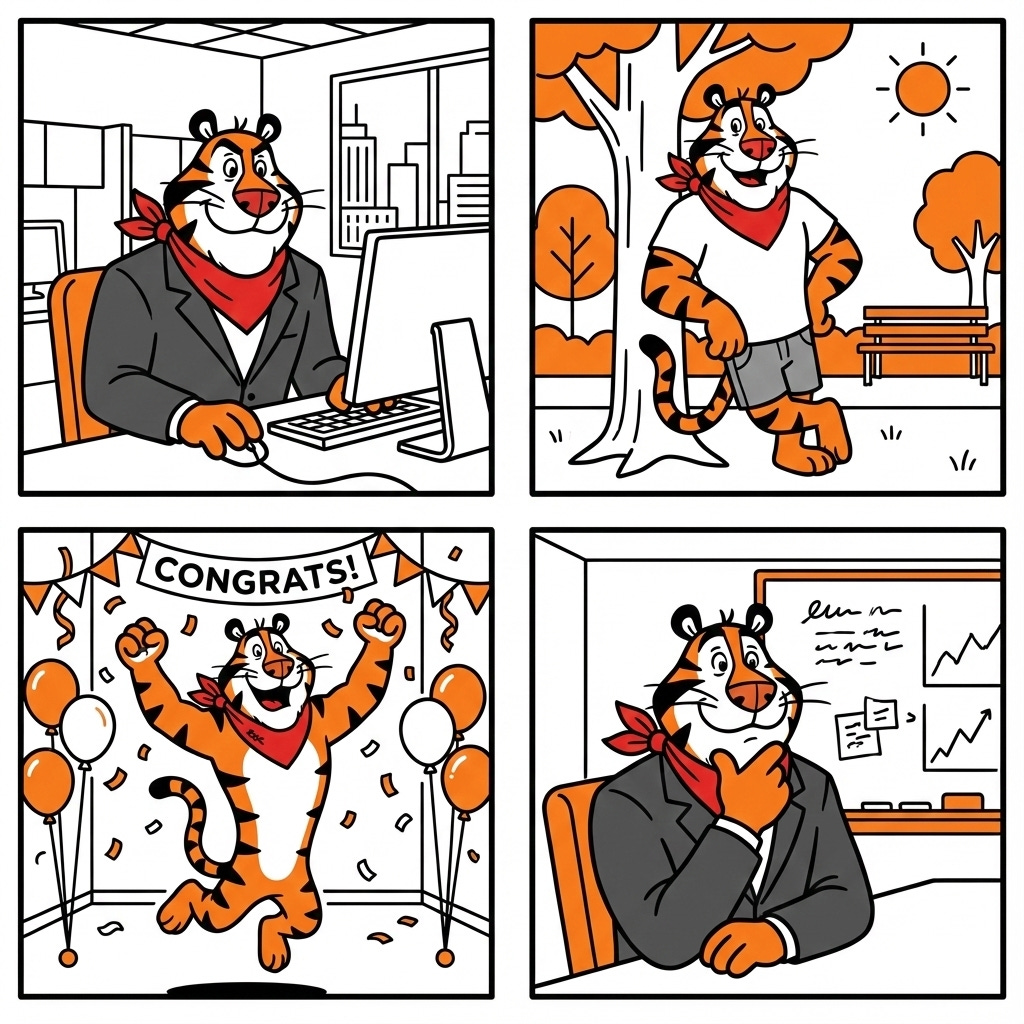
No more mismatched visuals across your campaign. Same character, different contexts.
The shortcut most people miss
You don’t always need to write detailed prompts. Upload existing assets and let the model extend them.
Have a product photo? Upload it, ask for variations in different settings.
Using this product photo [upload], create 3 variations:
1. Lifestyle shot with person using the product
2. Flat lay arrangement with complementary items
3. Outdoor setting with natural lighting
Maintain exact product appearance and branding.
Have a logo? Upload it, generate on-brand marketing materials.
Using this logo [upload], create a social media banner that reflects the brand’s values.
Dimensions: 1500x500 pixels (Twitter/X header)
Style: Professional, modern, aligned with the logo’s aesthetic.
Have a rough sketch? Upload it, get polished concepts.
The multimodal input is the real unlock. Stop describing everything from scratch.
Adapting the mega-prompt for your own products
The structure works across industries. Here’s the template:
Studio Product shot, a close up shot, [NUMBER] [COLOR] [PRODUCT TYPE], [PRODUCT] has [YOUR BRAND NAME] logo [PLACEMENT], around the word [BRAND] are [DESIGN ELEMENTS]. [ARRANGEMENT AND POSITIONING]. [SURFACE/BACKGROUND DESCRIPTION]. [CAMERA ANGLE] shot [HEIGHT] [LENS SPECS], lighting is [LIGHTING STYLE], [PRODUCT] causes [SHADOW DESCRIPTION]. [PRODUCT] has [SURFACE TEXTURE/EFFECTS]. [COMPOSITION RULES]. [SPECIFIC TEXT PLACEMENT INSTRUCTIONS].If that looks compliacated to you, remember you can always collaborate with AI to get a finished prompt.
The key is specificity. Vague prompts get vague results. Camera angles, exact text placement, surface textures, colour constraints. The more precise your instructions, the closer you get to what a professional would deliver.
Where it still struggles
Same limitations as most AI image generation:
Complex edits across multiple elements can get inconsistent
Dense layouts with lots of small text still trip up occasionally
Photorealistic human faces remain unpredictable
For product shots and branded graphics, it handles 80% of business needs without revision.
The bottom line
The gap between “AI can make images” and “AI can make images I’d actually use for business” just closed.
Start with Level 1. Upload your logo, describe what you need in one sentence, see what comes back. You’ll know within 60 seconds if this changes your workflow.
Then go deeper when the stakes are higher.
Adapt & Create,
Kamil