


Hi Adopter,
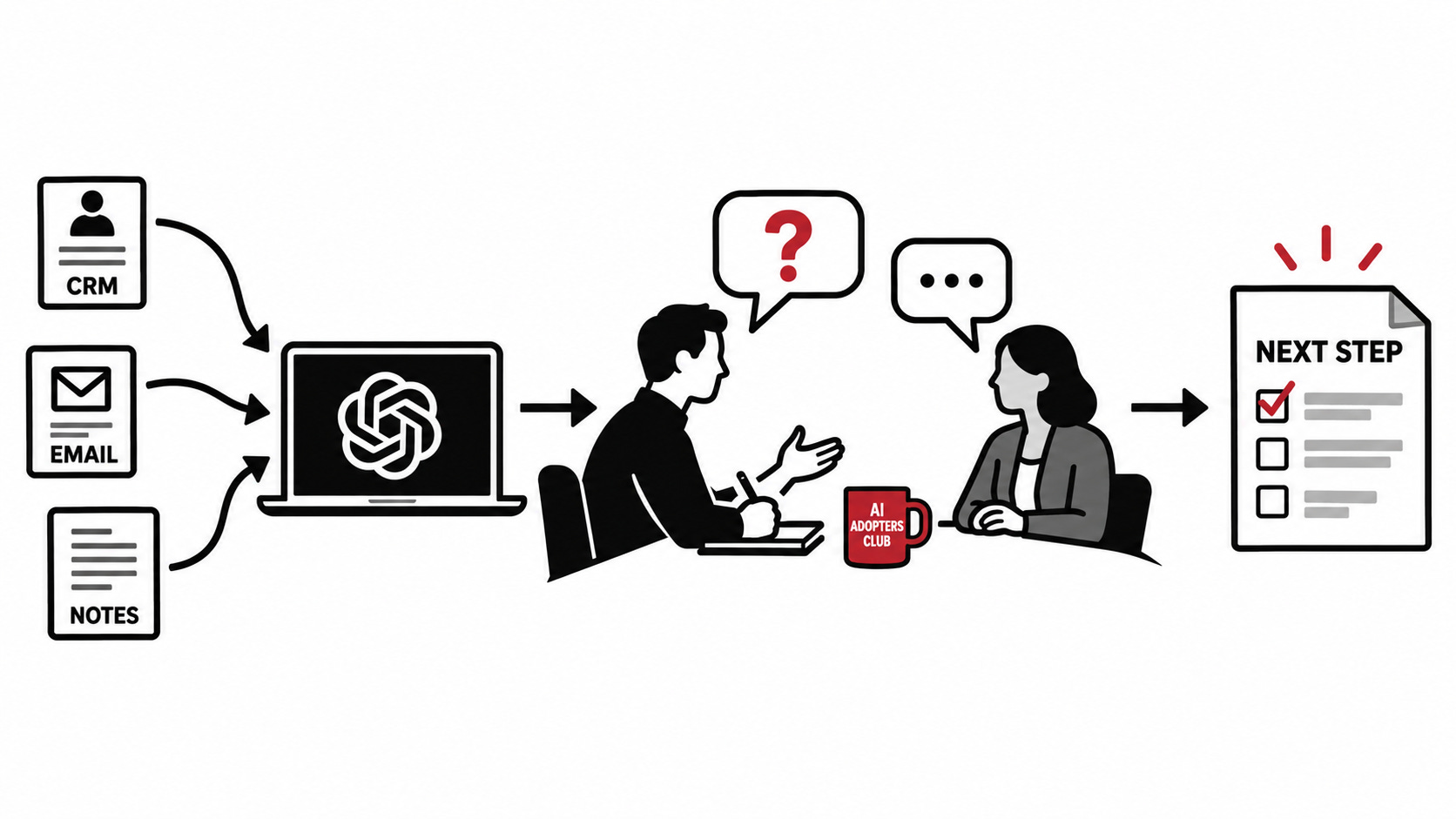
You’ve had the call. The client sounded interested. Now you’re staring at a proposal and realizing you’re still guessing about what they need.
For your next client conversation, start by giving AI the relevant background. Then give it a job before the call and another one after you’ve heard the answers. These prompts help you prepare questions, check your reading of the notes, and draft a useful next step.
You might come away with a small test or a clearer proposal. You might also find a question you missed, or realize you aren’t the right fit. All useful things to learn before spending Friday writing the proposal.
Get specific before you recommend anything
Take a fictional example. A client says their weekly report is frustrating. You’re an automation consultant, so it’s tempting to start thinking about a faster way to produce it.
But what makes it frustrating?
If different teams define the numbers differently, producing the report faster could leave the disagreement untouched. You need to understand that before recommending the work.
Use the conversation to find out what’s happening, whether the client wants to change it, and what a worthwhile improvement would look like to them.
Give AI the context before you give it the job
A useful question starts with knowing what’s already been discussed. Your CRM notes, email exchanges, and call transcripts may contain answers you’d otherwise spend the meeting asking for again
.
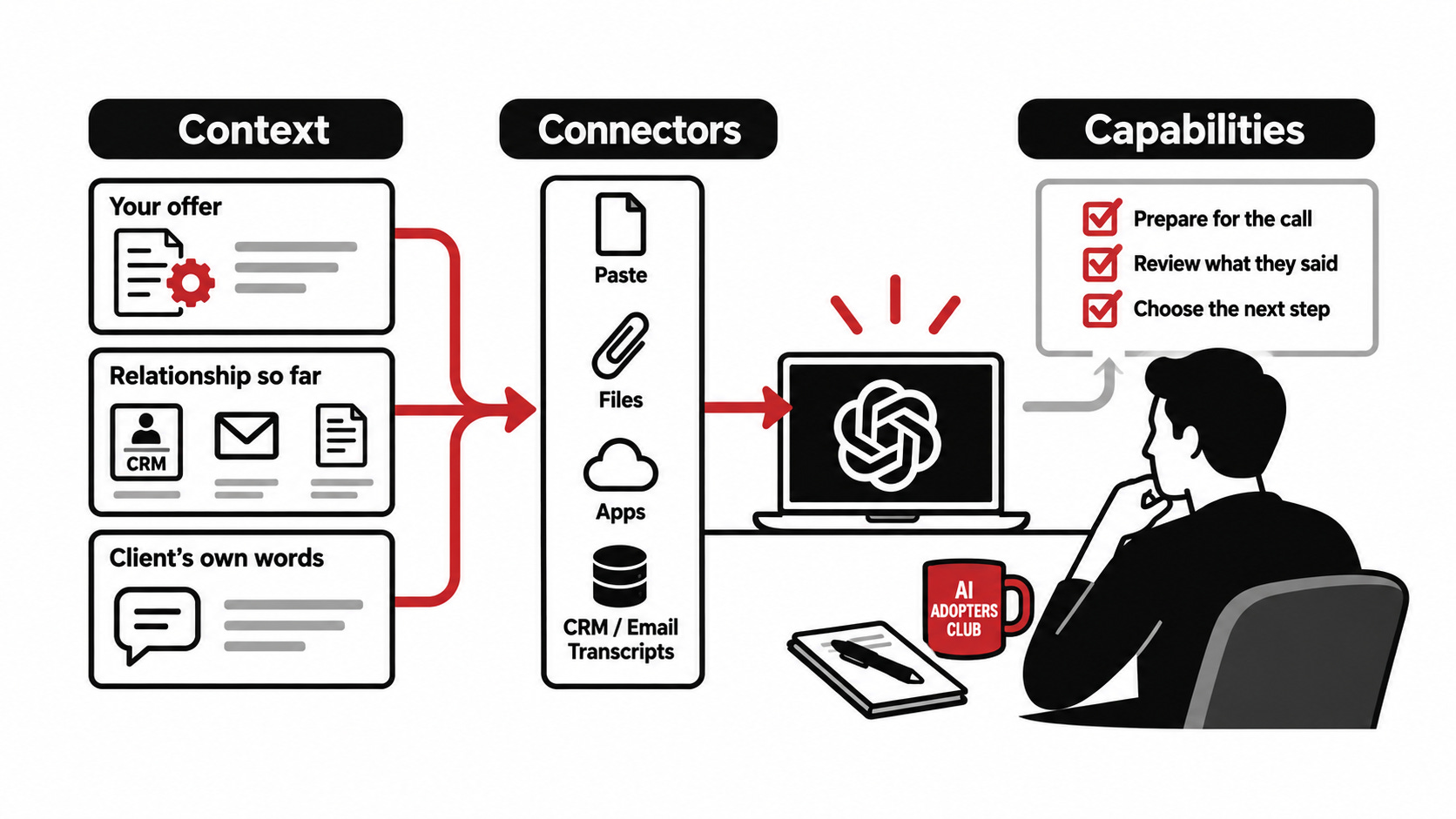
Think about the setup in three parts: context, connectors, and capabilities.
Context: what does the AI need to know?
Start with a small set of relevant material for this client:
Your offer: what you do, what you can deliver, and any limits that matter. A service document or a few plain notes will do.
The relationship so far: relevant CRM notes, email exchanges, and any proposal or commitments you’ve already discussed.
The client’s own words: a previous call transcript, meeting notes, or a brief explaining what they want to achieve.
Use what you have. Missing information can become a question for the call. Include dates and who said what, especially when a newer conversation changes an earlier assumption.
Connectors: how will the AI get that material?
You can paste text, attach files, or use an app that can read files in a workspace you’ve made available. A document sitting on your computer isn’t automatically available to the AI.
If your app supports connectors to your CRM, email, or transcript tool, use them to retrieve the relevant records for this client. Be specific about the client and the conversations you need. You can use this whole workflow with files and pasted notes, too.
Before moving on, have the AI list which files or records it actually read, with their dates, and flag missing access, older information, or conflicting accounts. Bring the retrieved material into the client chat. If you’re using a summary, include the relevant client excerpts and source references so the AI can check what supports it. Share only information you’re permitted to use.
Capabilities: what should the AI do with it?
The prompts below provide the instructions for preparing, reviewing, and following up. A skill can package a repeatable process too; for this edition, the copyable prompts are all you need.
Finish gathering the context before running them. These prompts work with the material you’ve made available in the chat. They don’t retrieve your client history or update your CRM for you.
Coming up: your complete client discovery workflow
Get the three prompts to prepare your call, review what the client actually said, and draft a useful next step, plus an optional rehearsal prompt and instructions for keeping the context together.
Your premium membership also includes:
Weekly AI implementation case studies, the full premium archive, and a library of 65+ case studies with downloadable deep dives.
75+ AI business workflows and prompts, plus implementation guides, checklists, and resources.
The AI Data Readiness Assessment, AI Adopters Bot, and Claudia Installation Workshop.
50% off your first year of Right Click Prompt Pro on the standard annual plan: $29 instead of $58, renewing at the regular annual price, currently $58.