Retrieval-augmented generation (RAG) gives an AI model relevant information from your documents before it drafts an answer. It can help a team search its own knowledge, but it does not guarantee that an answer is correct.
This guide explains retrieval and generation, common design choices, and a small pilot you can evaluate. Your first step: choose one question your team repeatedly asks and identify the approved document that should answer it.
For the technical foundation, see AWS’s explanation of RAG. For a practical starting point, use our free workflow starter.
What is RAG, and Why Should You Care?
At its core, RAG is an AI architecture that combines two powerful capabilities:
Retrieval: The ability to search and find relevant information from your organization's knowledge bases, documents, and databases
Generation: Using AI language models to create human-like responses based on the retrieved information
Think of RAG as a lookup step before a draft answer. The system retrieves passages and gives them to the model as context. Missing documents, outdated sources, weak retrieval, or a mistaken interpretation can still produce a wrong answer.
The Business Case for RAG
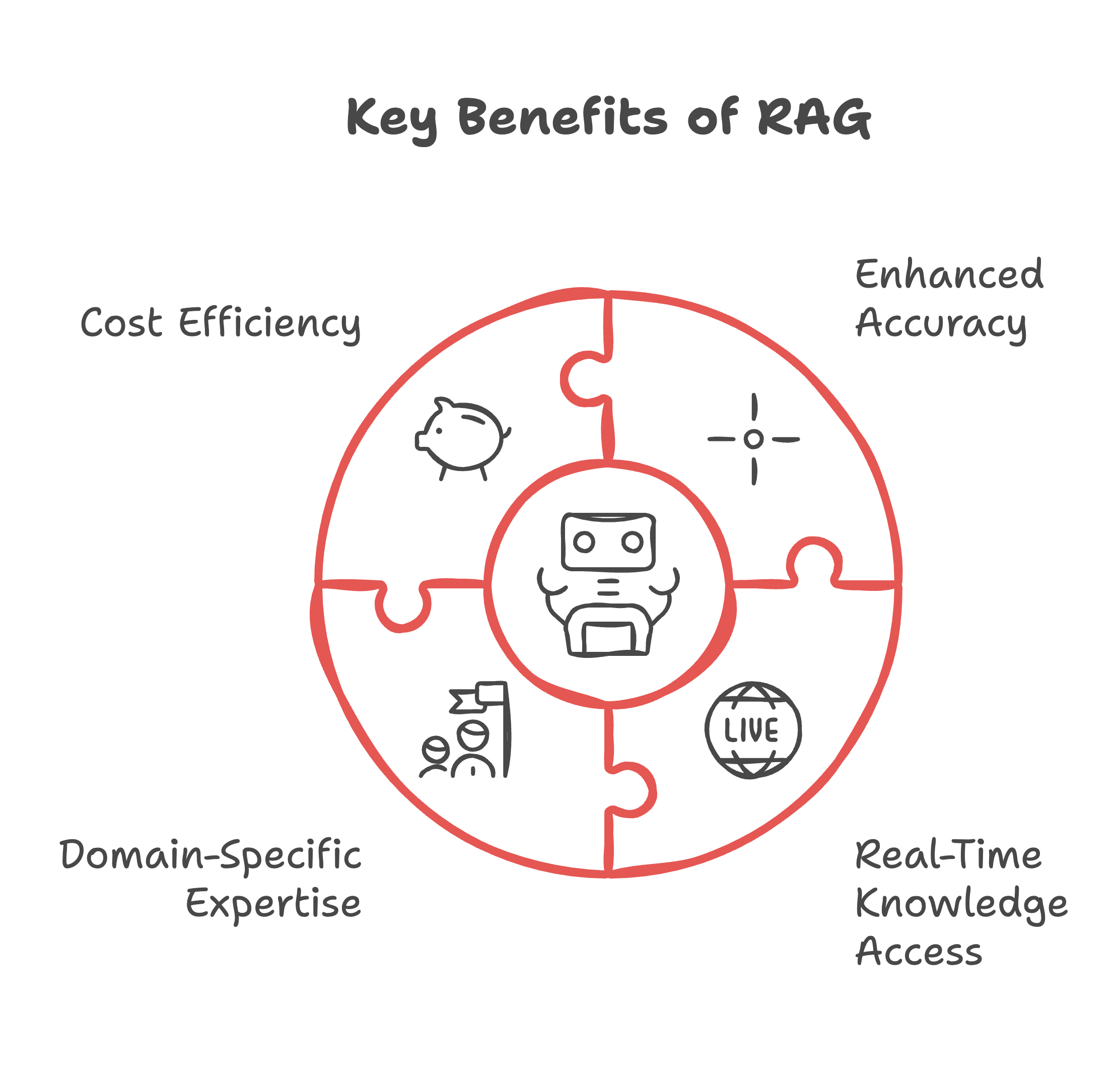
Key Benefits That Matter to Your Organization
Enhanced Accuracy
Reduces AI "hallucinations" (generating incorrect or nonsensical outputs)
Grounds responses in your actual business data and documentation
Provides source attribution and citations, building trust in AI outputs
Real-Time Knowledge Access
Connects to live data feeds and frequently updated sources
Eliminates the need for constant AI model retraining
Ensures responses reflect your latest business information
Domain-Specific Expertise
Extends AI capabilities to your specific industry or organization
Leverages your internal knowledge base without extensive AI training
Adapts to your company's unique terminology and processes
Cost Efficiency
No need for expensive model retraining
Reduces time spent verifying AI outputs
Maximizes existing documentation and knowledge resources
Understanding Different Types of RAG Systems
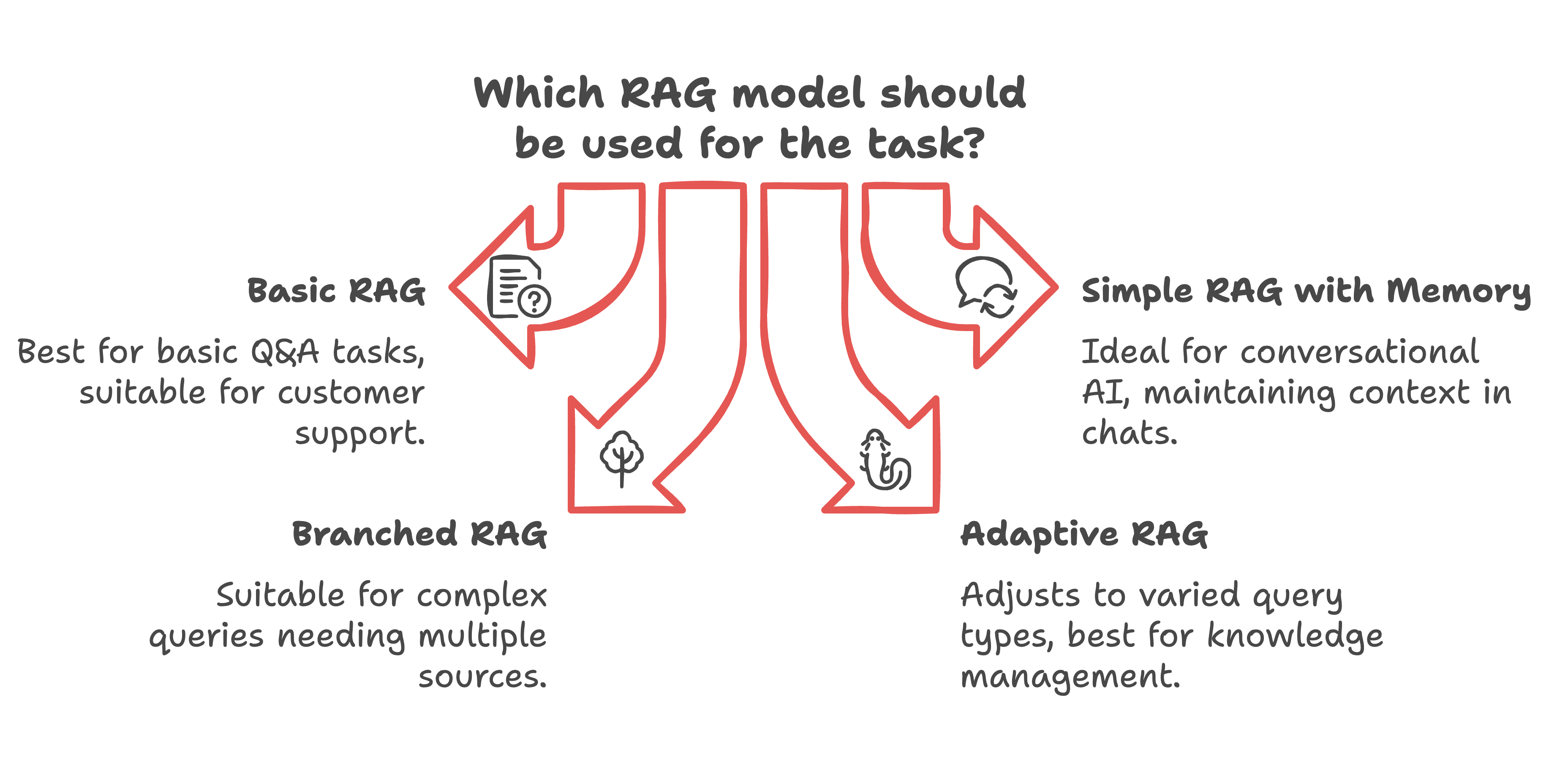
Think of RAG systems like different levels of a customer service team. The most basic version, Simple RAG, is like having a helpful assistant who can quickly look up answers in a manual. You ask a question, they find the relevant information, and give you a straightforward answer. This works great for basic questions like "What's your return policy?" or "How do I reset my password?"
The next level, Simple RAG with Memory, is like talking to a service rep who remembers your whole conversation. If you ask about a product, then follow up with "How much does it cost?" and "Does it come in blue?", they remember you're still talking about the same item. This makes conversations feel more natural and saves you from repeating yourself.
Branched RAG is like having a senior specialist who knows how to handle complex questions that require checking multiple sources. If you ask something like "Which service plan would work best for my business?", they'll look up different plans, pricing, features, and requirements, then put it all together into a comprehensive answer.
Finally, Adaptive RAG is like having a seasoned expert who can handle any type of question. They automatically adjust their approach based on what you ask – using a quick lookup for simple questions, or doing deep research for complex ones. They know exactly how much effort each question needs and can respond appropriately.
Most businesses start with Simple RAG because it's effective and easier to implement. As their needs grow more complex, they can move up to more sophisticated versions. The key is matching the type of RAG to your actual business needs rather than jumping straight to the most complex option.
Illustrative RAG Use Cases
Shopping: Retrieving Product Information
Illustrative shopping example: a system retrieves product descriptions and approved dietary information before answering a customer’s question. For a complex request it may need several lookups. Test whether each recommendation is supported by the retrieved records.
Florist: Combining Context and Retrieval
Illustrative florist example: a conversation can retain the customer’s stated preferences while retrieving current product information. Conversation memory and document retrieval are separate design choices; using one does not automatically provide the other.
Support: Answering From an Approved Policy
Illustrative support example: retrieve an approved return policy, draft an answer, and show the source. A follow-up question should preserve the relevant conversation context while checking whether a different document is needed.
These examples describe possible designs, not verified deployments or business results at named companies. Choose the simplest approach that answers your test questions reliably, then evaluate it before increasing complexity.
Understanding RAG's Limitations
While RAG is powerful, it's important to understand its constraints:
Data Quality Dependencies
Results are only as good as your source documents
Requires well-organized, accurate information
Need for regular content updates
Technical Considerations
Computing resources required for efficient retrieval
Need for proper data indexing and search mechanisms
Integration requirements with existing systems
Implementation Challenges
Initial setup and configuration complexity
Need for balanced retrieval strategies
Ongoing maintenance and optimization
Tools and Technologies
Several tools and platforms are available for implementing RAG:
Development Tools
• LangChain: Popular framework for building RAG applications.
• LlamaIndex: Toolkit for data connection and indexing.
• Hugging Face Transformers: Provides access to pre-trained models.
Cloud Services
• AWS RAG solutions: Comprehensive cloud infrastructure for RAG.
• Google Cloud’s AI platforms: Advanced AI services tailored for RAG implementations.
• Azure Cognitive Services: Scalable AI tools for building intelligent applications.
Specialized Platforms
• Vectara: Offers a “RAG in a box” approach for enterprise solutions.
• Personal AI: Privacy-focused RAG platform with advanced features.
• ChatPDF: Specialist in document interaction and conversational PDF querying.
RAG represents a practical approach to making AI work in real business contexts. By understanding its capabilities, limitations, and implementation requirements, you can become a valuable resource in your organization's AI journey. The key is to start small, focus on quality data, and build on successes.
Ready to Implement RAG in Your Organization?
Transform this knowledge into action with our step-by-step RAG Implementation Handbook. As an AI Adopters Club Premium subscriber, you'll get:
Complete implementation framework with action steps
Evaluation tools and project roadmaps
Expert tips and pitfall warnings
Skip the trial and error. Get the blueprint that's helping managers become AI champions in their organizations.
Get Your RAG Implementation Handbook 👇